And that’s a wrap—those are 10 Lucidchart features to instantly make your work easier and more productive. As you explore these features, share them with your team so you can boost efficiency and alignment.
About Lucidchart
Lucidchart, a cloud-based intelligent diagramming application, is a core component of Lucid Software's Visual Collaboration Suite. This intuitive, cloud-based solution empowers teams to collaborate in real-time to build flowcharts, mockups, UML diagrams, customer journey maps, and more. Lucidchart propels teams forward to build the future faster. Lucid is proud to serve top businesses around the world, including customers such as Google, GE, and NBC Universal, and 99% of the Fortune 500. Lucid partners with industry leaders, including Google, Atlassian, and Microsoft. Since its founding, Lucid has received numerous awards for its products, business, and workplace culture. For more information, visit lucidchart.com.
Let’s dive into some popular Lucidchart keyboard shortcuts to help you diagram with ease. Even if you’re a Lucid pro, you might be surprised at what you’ll learn.
By registering, you agree to our Terms of Service and you acknowledge that you have read and understand our Privacy Policy.
Lucidchart is the intelligent diagramming solution for teams. Collaborate in real time to diagram your people, processes, and systems. Check out our top 10 tips and tricks for making your workflow easier as you build, share, and present diagrams. If you'd like to dive deeper into these features and follow along with one of our product pros, visit our Lucid Training Labs to explore our free courses.
1. Easily style shapes
When creating a diagram, chances are you have specific fonts and colors you want to use throughout. You could go back and update these preferences manually, but there's a better, more efficient way.
To edit the style of your shape, select the Styles panel on the left-hand side of your document. From there, you’ll be able to edit the fill color, border size and color, width, and text color within each shape.
Similarly, if you want to change the formatting on a Lucidchart template or if you get halfway through your diagram before you decide that you hate the font, simply click Select > All shapes, and then style your entire diagram the way you want.
2. Use quick shape banks and quick actions
Get started on your work faster with quick tools in Lucid! Quick tools include shape banks and quick actions. Quick shape banks are an easy way to access pre-grouped sticky notes, stickers, and other icons so that you and your team can get a faster start on collaborating.
To access quick tools, select the quick tools icon from the Primary Toolbar on the left-hand side of your document. From there, you can choose if you want to use a sticky note bank, sticker bank, or dot bank.
Quick actions give you the power to instantly trigger powerful features like commenting, recording a video, and sorting. While many of the quick actions are specific to Lucidspark, you can still access them in Lucidchart through the quick actions menu.
3. Try quick diagramming features
Diagram with efficiency and speed using quick diagramming features. Create powerful diagrams in just a few clicks using the following:
Quick shape changes: You don't need to delete unwanted shapes. Instead, you can replace a shape in your diagram with a different one without altering the text inside the shape.
Easy shape add: To connect a shape to an existing line on your document, drag the shape you want on the canvas to the desired location. The line will automatically adjust.
Preview Shapes and Quick Add: Ghost shapes will appear as you create your diagram, giving suggestions for which direction to build. Simply select the ghost shape, and it will drop right into your document—it's as easy as that!
Automatic branching: No more clicking and dragging to get lines to connect to shapes. Our new button will give you the power to branch a line in whichever direction you like. The best part? Lines will be automatically spaced out equally.
4. Create clean diagrams
Cut down on time spent manually tweaking with assisted layout, a set of features that intuitively arranges shapes and lines automatically so your document looks professional and polished. This is possible through the following capabilities:
Line routing logic automatically finds the best route for a line to take between two shapes, so there isn’t any overlap and the connections are clear.
Shape-swapping capabilities seamlessly allow shapes to be swapped out without disrupting line flows. Simply drag a shape to the desired spot, and it will swap places with the shape that’s there.
Canvas spacing handles allow you to customize how far apart you want shapes to be. Simply adjust one, and the other shapes in the diagram will follow.
Drop zones allow you to add shapes to the middle of a diagram. Simply drop them in, and the existing lines and shapes will adjust around them to be spread equally.
Quick line cleanup spaces out lines for you, so you don’t have to manually adjust them to look clean.
5. Work faster with keyboard shortcuts
Make life easier with our nifty keyboard shortcuts. We’ve got quite a few, and you can view them all in the editor by clicking F1 or selecting Help > Keyboard shortcuts. Here are two of our favorites:
To easily zoom in and out of your diagram, hold down the space bar and scroll up and down with your mouse—this is especially helpful when you’re dealing with large diagrams.
To make more precise adjustments to your shapes, select the desired shape, hold down the Shift key, and use the arrow key for subtle movements that get your shape just the way you want it.
Ready for more? Watch this quick video of our top 5 keyboard shortcuts.
6. Expand your canvas
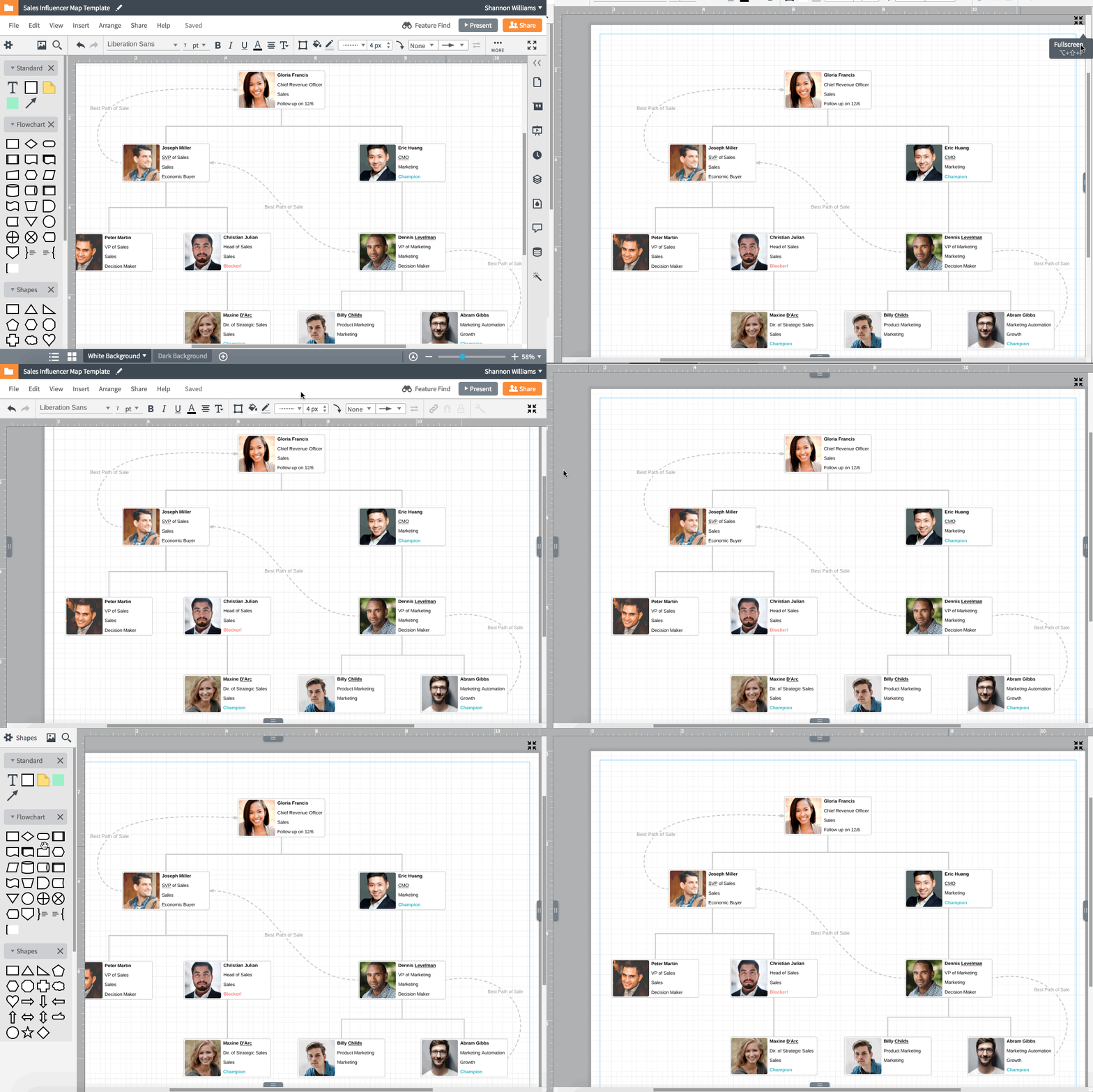
If you're creating a large diagram, things can start to feel pretty cramped on your canvas. But there’s a one-click solution for expanding your canvas. Select the Fullscreen button in the bottom-right corner—all the panels in the editor will disappear, leaving you with an enlarged canvas for fleshing out all those ideas. Anytime you need to access the Shape menu, Formatting bar, or the Canvas View Controls, you can activate them by clicking on the gray arrows that appear in the fullscreen view.
7. Include links and layers for easy-to-read diagrams
There’s always additional detail you could add to a diagram. But what’s the point of creating a visual if you stuff it full of text? Provide all the necessary info while still keeping your diagram clean and easy to read using shape actions.
Select a shape, click the lightning icon in the Formatting bar, and select an action for the shape. You can toggle, show, or hide layers, add conditional formatting, or link to an email.
Selecting the link icon (to the left of the lightning bolt icon) will give you the option to link to an external website, a specific page, or another Lucid document.
8. Collaborate without leaving Lucidchart
Once you’ve built a diagram, you’ll want to gather feedback from others. To avoid giant email threads that lack clarity, have these conversations directly in your Lucidchart document.
With our commenting feature, you can leave comments on specific shapes or the document as a whole. To make a shape-specific comment, select a shape, right-click, and select Add comment. You can even @mention in your comment to alert certain people that feedback or review is needed.
9. Add necessary context
When you have thoughts or feedback that need to stay attached to a particular shape, use the notes function in Lucidchart. Right-click a shape, choose “Add note,” and include whatever information is needed. A grey notebook icon indicates that a shape has a note.
10. Present your diagram
Once you’ve received feedback and finalized your diagram, it’s time to present the system or process and get the buy-in you need to move forward. Instead of presenting the diagram all at once, use Presentation Builder (located in the top-right corner of the editor) to break your diagram up into a polished slide presentation.
Add more slides to your presentation by selecting + Add new slide within Presentation Builder. A purple box will appear on the canvas—anything within that box will be included in that slide. Click Present slides to view your presentation. Presentation Builder lets you craft the story around a diagram and leaves you in control of your presentation.