Today’s businesses run on data. In fact, the average business collects data from 25 unique sources and has 16 unique technology applications housing customer data. But with so many data sources—and the complexity and volume of the data itself— it’s difficult for different systems to read and interpret the data consistently.
And all that data is useless (or worse, harmful) if it is poor quality or not even accessible in the first place.
Quality data is important because it helps companies to:
- Make better decisions
- Understand consumer behavior
- Solve problems
- Improve processes and procedures
- Understand company performance
Unfortunately, poor-quality data is a common problem that costs organizations an average of $12.9 million every year. So how can you transform disparate sets of data into quality insights? This is where data mapping comes in.
Below we’ll review what data mapping is, why data mapping is important, and how you can use data mapping tools to create functional diagrams.
What is data mapping?
Data mapping is essential to data management. Data mapping tools can help you improve data quality and utility by accurately matching data sets from different systems to ensure it is consistent and homogenized for easy access and analysis.
One data mapping example is a source system that allows abbreviations in a state location field while the target system requires that state names are spelled out. A data map connects the common state abbreviations to the appropriate state name (CA, Calif. to California; CO, Colo. to Colorado; AZ, Ariz. to Arizona; and so on) in the target system.
Why is data mapping important?
When managing large volumes of data from many different sources. Mapping is important because it gives you insight into the connections and relationships among various data sources. This makes it easier for you to standardize the data and consolidate it into a single source of truth.
Standardizing and consolidating the data makes data analysis easier and more accurate because it reduces the risk of potential errors, repetition, and corrupted data, which result when the data is mapped improperly. Proper data mapping is also important for common data management tasks like:
- Data migration: This is the process of moving data from one source to a new destination. The data is generally static and doesn’t change. The source fields are mapped to destination fields. The values and information in the destination fields become the new source of truth for the data and the original source of the data is retired.
- Data integration: This is when data is combined from multiple sources into a single, unified view. Data is moved from one system to another on a regular basis on a regular schedule or by a triggered event. Data is mapped from the source fields to destination fields, but data is stored and maintained in both locations.
- Data transformation: This process converts source data from one format to another in the destination. This includes setting data categories and defining the standards for naming the data field, kind of like a style guide.
- Data warehousing: After data has been migrated, integrated, and transformed, it can be stored in a data warehouse, a single source for accessing and analyzing the data.
How do you get started with data mapping?
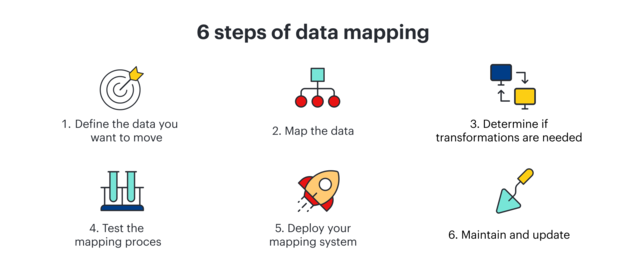
If data mapping seems like a daunting task, you can follow these steps to ease into the process. Implementing a good data mapping solution early in the data lifecycle will save you a lot of time and ensure that your data is stable and reliable.
- Define the data you want to move: This includes defining the tables, the fields, and the format of data that will be moved. Determine what the format of the tables and fields will be in the destination system. If you’ll be performing data integrations, you’ll also need to determine how often the data will need to be mapped.
- Map the data: Map the tables and fields in the source data to the tables and fields in the destination.
- Determine if transformations are needed: Define the transformation formula or rule that will be used in data transformations.
- Test the mapping process: Run some tests to make sure your mapping works like you expect it to. Test a small sample of data to begin. This will give you a better idea of how well your mapping process works. Make adjustments if problems come up and test again if necessary.
- Deploy your mapping system: If you’re happy with how the mapping process worked in your tests and you’re confident that everything works correctly, it’s time to deploy your data mapping system.
- Maintain and update: You will need to maintain and update your mapping process as data sources change and new data sources are added.