If you’ve ever read a textbook, you’ve probably seen a concept map. Concept maps are used to organize information visually, often to increase student understanding. And just as concept maps help students digest and understand new ideas, they can help your co-workers do the same. Use them at work in your PowerPoint presentations to increase interest and get your point across.
To help you out, we’ll teach you how to create a concept map in PowerPoint—with Lucidchart, of course.
Why Lucidchart?
We all love PowerPoint, but anybody who has tried to build a flowchart in PowerPoint understands the mental fatigue of meticulously drawing, formatting, and arranging every shape only to realize you have skipped a step and have to redo everything. Urgh!
In contrast, Lucidchart was designed to produce beautiful, flexible diagrams without all of the formatting headache. Save yourself time, money, and gray hairs by making your diagram in Lucidchart and then importing it into PowerPoint where you can proudly share it with others.
How to set up the integration
First, sign up for Lucidchart. It’s free. It’s easy. It’s everything you want a diagramming tool to be. To sign up, just click on the button and follow the instructions.
Sign up for Lucidchart
Next, download the Lucidchart add-in for PowerPoint. It’s also free. Click on the button, select “Add,” and follow the instructions.
Get the add-in
Once the integration is complete, the Lucidchart add-in panel should be open and ready to use.
How to make a concept map in PowerPoint
This is the fun part. Customize and build your concept map in Lucidchart. Our users love Lucidchart because they can build diagrams collaboratively from any device at any time of day or night. Now you can, too. If you are new to concept mapping, check out this tutorial, or try using this concept map PowerPoint template to get you started.

Don't know where to start? Open up a concept map templates --we have a huge library of concept map templates to choose from to help you.
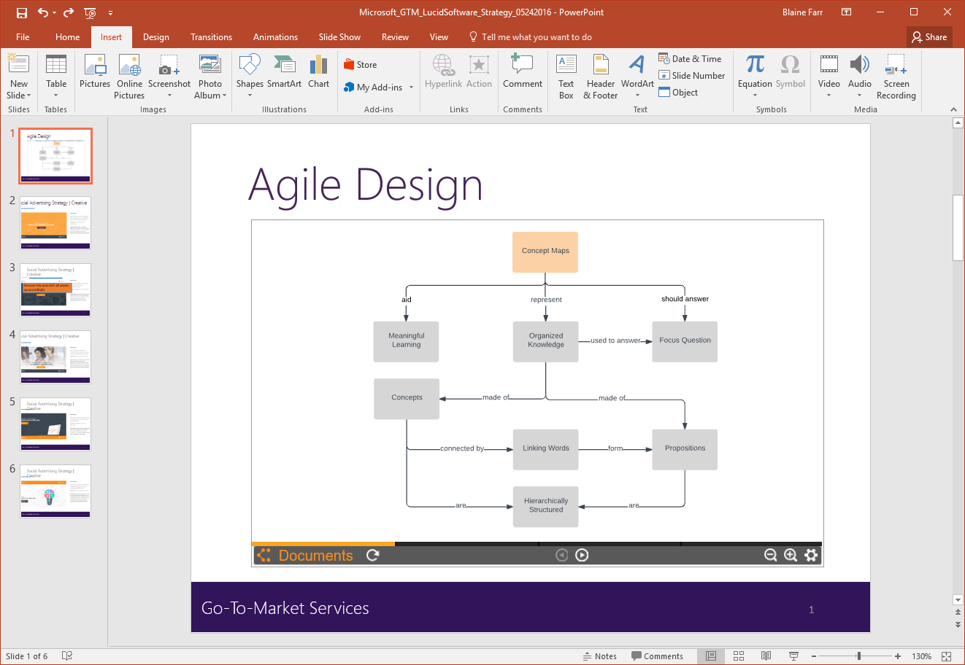
Once you have your concept map the way you like it, open a PowerPoint presentation and pull up the Lucidchart add-in. It should be open if you just installed it. From the add-in panel, select the diagram you would like to include in your PowerPoint and press “Insert.” Depending on your version of Microsoft Office, the exact commands may vary, but the principle should be the same.
That’s it. You now have a beautiful concept map expertly included in your presentation. Your audience will love it!
Are you a PowerPoint expert? Share your best tips about how to create a concept map in PowerPoint using the comments section below.