4. Provide positive feedback
A brainstorm should have someone who’s facilitating discussion. That person should provide positive feedback in response to every suggestion, which gives the team more encouragement to continue contributing ideas. No idea is a bad idea in this first stage.
The atmosphere during a brainstorming meeting should be one of openness and encouragement. So don’t eliminate ideas as they’re provided. When you start eliminating suggestions as they come in, it makes your team feel pressured to come up with ideas that are “good enough,” and that intimidation doesn’t serve to foster creativity. Yes, you want good ideas, but policing suggestions does more harm than good.
5. Consider the ideas
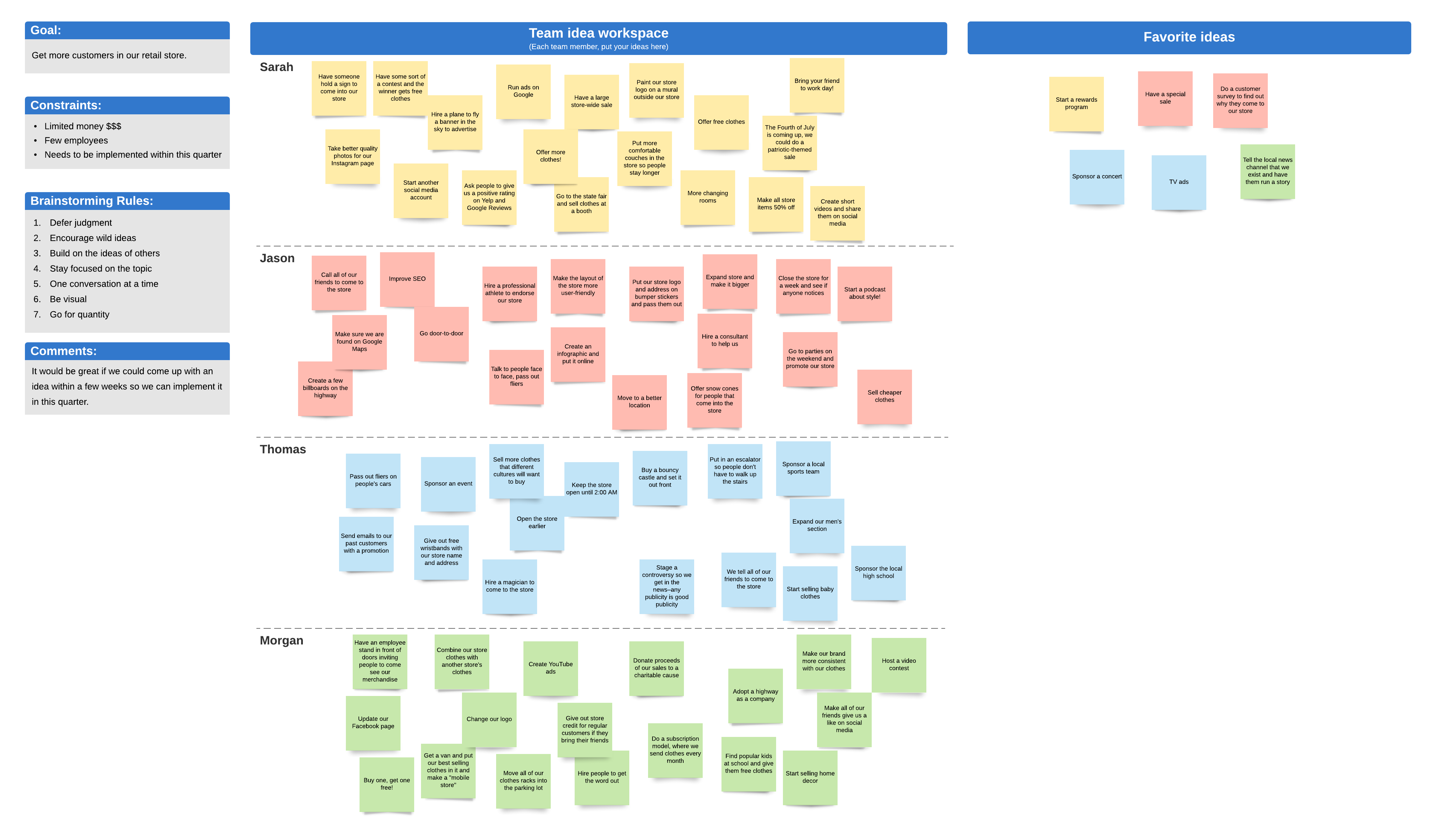
After the brainstorm, look over the suggestions as a group. You can then start eliminating ideas or suggestions that don’t speak to the ultimate objectives of the brainstorm. If you’re using a whiteboard, just strike them through. If you’re using a digital whiteboard, you can delete the ideas from the board or move them to a “not now” column. Then, as a team, decide what the next steps will be for your project based on the brainstorm.
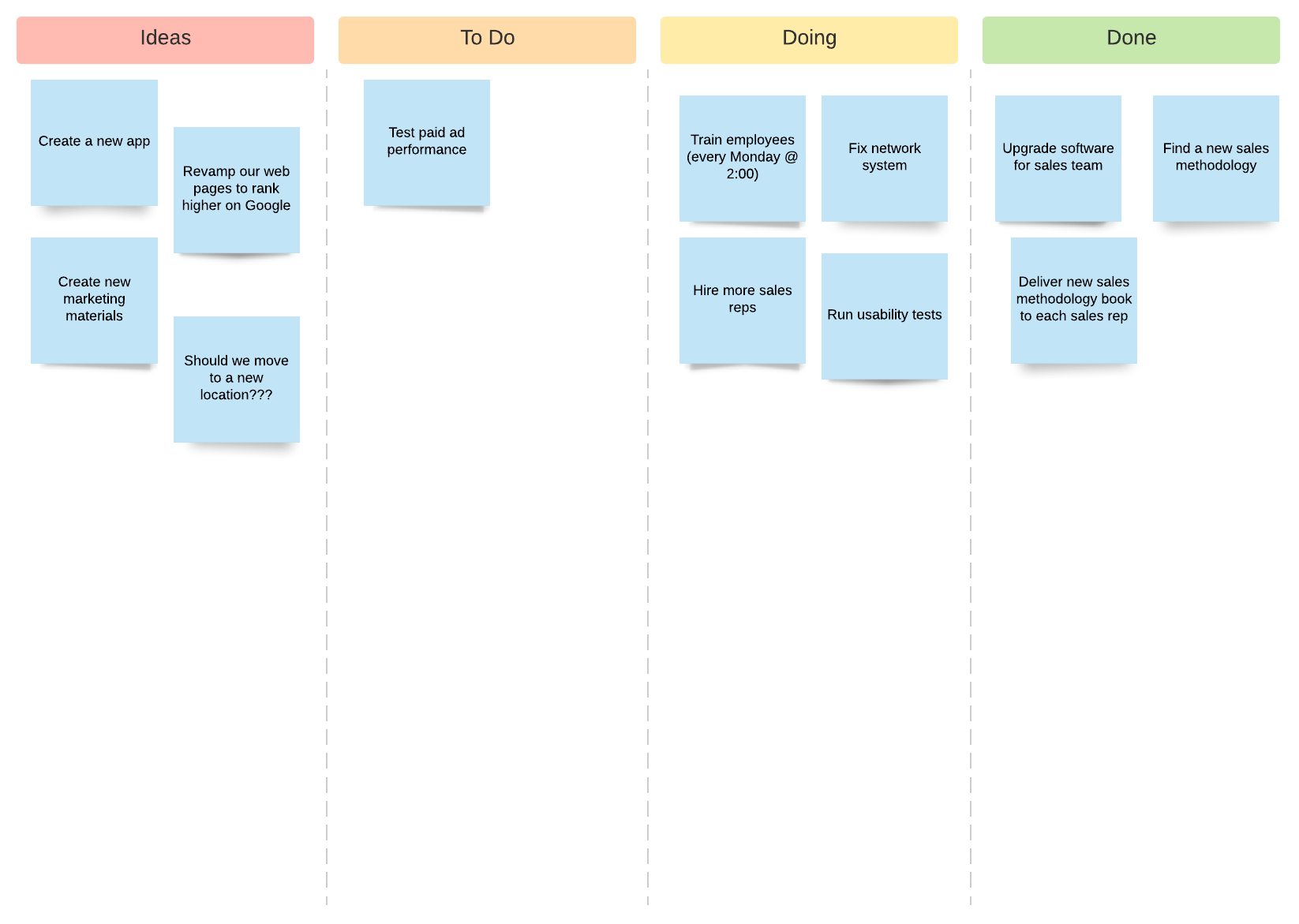
Depending on your use case, you might want to add columns or containers to your idea board to show how you plan to act on each idea (if you don’t eliminate them). For example, on our idea board template, you can organize ideas into “To Do,” “Doing,” and “Done” columns.
Benefits of a digital idea board
If you’re brainstorming on the fly and you have no access to digital tools, a pen and paper is fine. But digital tools make brainstorming so much easier. Here’s why.
- Updated in real time: Whether your team members are contributing ideas while they’re in the same room as you or in a different office location, you can see ideas and suggestions as co-workers input them in real time. And, if a team member wants to add to a suggestion provided by another team member, it’s as easy as moving a cursor.
- Easily shareable: The digital idea board can be shared with a few clicks of a mouse by anyone in any department. Then team members can not only be inspired by the ideas but also have the opportunity to join the discussion and enter their own contributions.
- Simple to arrange ideas: See a pattern in provided ideas? Easily group by category by dragging and dropping.
- Saved forever: Never worry about a misplaced sticky note or—the ultimate horror—someone erasing the whiteboard before it’s been photographed. A digital whiteboard is stored on the cloud for redundancy and can be accessed on any device.
- Easily read: Messy handwriting doesn’t exist online. Never worry about an idea having to be thrown away because it can’t be deciphered.
- Turn ideas into action: If you’re using Lucidchart, you can easily convert your ideas into action by creating scrum boards, kanban boards, wireframes, mockups, and other types of diagrams and task lists from your ideas.
Though idea boards are sometimes dismissed as being suitable only for more creative organizations, there’s really no limit to their use. Plus, you’ll wind up with fantastic ideas, greater enthusiasm, and a stronger team.