What makes Lucidchart even better? Lucidspark.
Don’t get us wrong—Lucidchart has been the go-to diagramming solution for years for a reason. With its intelligent automation, intuitive interface, comprehensive shape and template libraries, and collaborative sharing features, teams have turned to Lucidchart for everything from mapping org charts to improving technical architectures.
But while Lucidchart is great for visualizing structured processes, data, and connections, teams still need a place for the unstructured work: the anything-goes brainstorming sessions, nimble decision-making meetings, and momentum-building planning workshops. So, the Lucid team built Lucidspark to fill this need.
Lucidspark is a virtual whiteboard purpose-built with feature sets that allow teams to capture their best ideas, then transform those ideas into action. With its limitless brainstorming features, interactive facilitator tools, and flexible prioritization features, it’s the perfect solution to turn to for your ideation and planning needs.
The best part? Lucidchart works with Lucidspark seamlessly. Each product is powerful on its own, optimized for the unique goals it supports. And when used together, you get uninterrupted collaboration across the entire project workflow—from idea to reality.
If you’re already using Lucidchart in your day-to-day, check out how you can add Lucidspark to your workflow to boost your team’s creativity, productivity, collaboration, and efficiency.
Benefits of using Lucidchart and Lucidspark together
By combining the intelligent diagramming of Lucidchart with the flexible ideation of Lucidspark, teams can:
- Move efficiently through stages of work: Since Lucidspark and Lucidchart are built on the same platform, it’s easy to move from ideation to planning to designing, building, and so on. When it’s time to pass the project off to the next stage of work, you can ensure other teams will have the context they need to make decisions and move forward.
- Align around a living blueprint of the business: As teams across the organization collaborate on different use cases in both Lucidchart and Lucidspark, they organically create a living blueprint of all their ideas, decisions, processes, and systems. Teams can turn to this single source of truth to stay aligned and keep up the momentum—even as team members come and go.
- Achieve scalable, constant innovation: Many teams are already documenting their processes and architecture. By combining this technical documentation in Lucidchart with informal documentation of ideas and decisions in Lucidspark—known as an innovation repository—you’ll have all the information needed to continuously learn, iterate, and innovate.
How to add Lucidspark to your Lucidchart use cases (with templates)
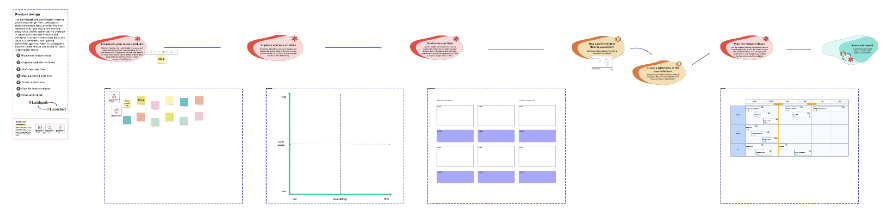
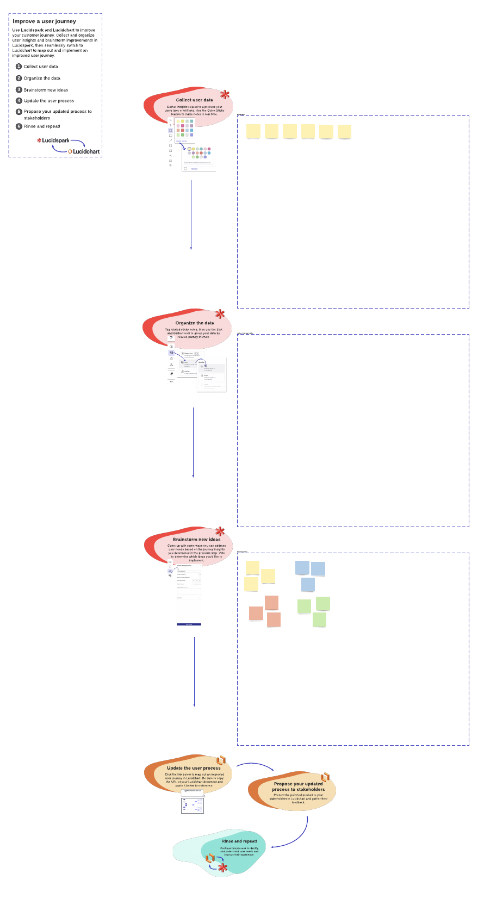
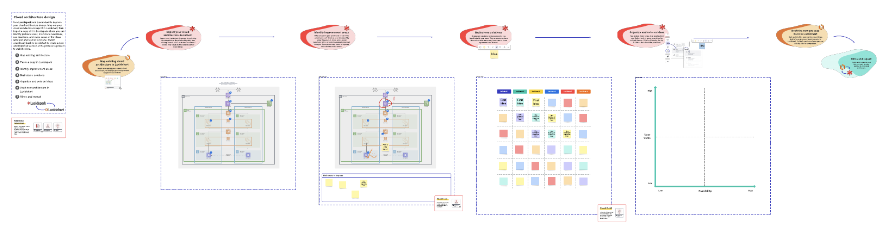
We’ve identified some of the most common reasons people use Lucidchart—and we’ve taken these use cases to the next level by incorporating Lucidspark into them. See how you can save time and collaborate better by adding Lucidspark to your workflow.
1. Improving a process
Process improvement is an involved activity that requires the input of various teams and stakeholders across the business. Lucidchart is great for defining current processes, identifying bottlenecks or roadblocks, and visualizing areas of ownership. To ensure the process really does improve, teams can turn to Lucidspark to collaboratively brainstorm improvement opportunities and build flexible action plans.
With Lucidspark, you can ensure all appropriate teams and stakeholders have a chance to contribute ideas and are bought in on the new process. When used with Lucidchart, you can easily move from polished diagrams to free-form brainstorming and back again.
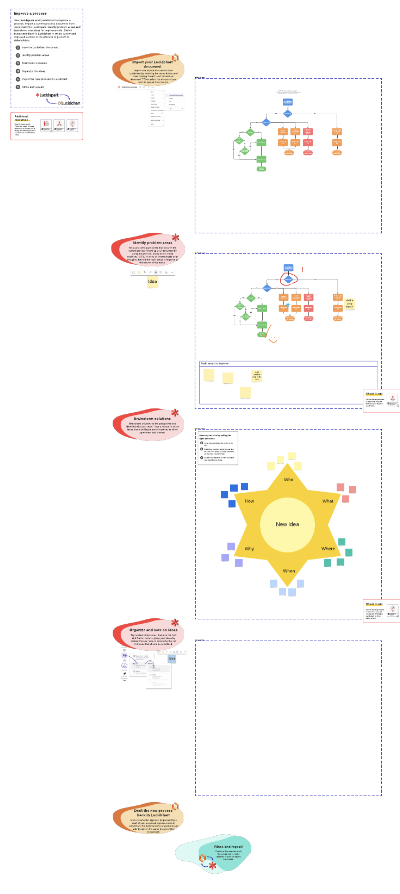
How to use Lucidchart and Lucidspark to accelerate process improvement:
- Start in Lucidchart to map out the current state of your process.
- Then, import this process map into Lucidspark and identify problem areas. Whether working in real time or asynchronously, take advantage of Lucidspark’s collaborative features like sticky notes, Collaborator Colors, comments, and the pen tool.
- In Lucidspark, brainstorm solutions to improve the process. You can choose from any brainstorming template to give everyone on your team a chance to contribute ideas.
- To decide what improvements to pursue first, use Lucidspark’s features like voting or emoji reactions.
- Then, go back to Lucidchart to map out the proposed future state. You can share your improved process easily for approval and buy-in.