When you think about an org chart, what comes to mind?
Org charts are typically used by people ops and HR professionals to map out a company’s hierarchy or for organizational planning, but many workers use their company org chart to find the best employee to answer their question or to understand the organization better as a whole.
Use our handy guide to find out how you can transform your org chart into a comprehensive resource for your employees.
Basic elements of an org chart
Org charts are essential to organizing a company workforce and helping employees understand where their role fits into the larger organizational structure. You need a few basic elements in your org chart before you can turn it into an all-in-one employee resource.
- Employee name: Include each employee’s first and last name, as well as what they prefer their colleagues to call them.
- Job title: Add the employee’s official role at the company.
- Photo: Put a face to a name when you insert a professional image.
- Contact information: List their email address, phone number, and other methods of contact.
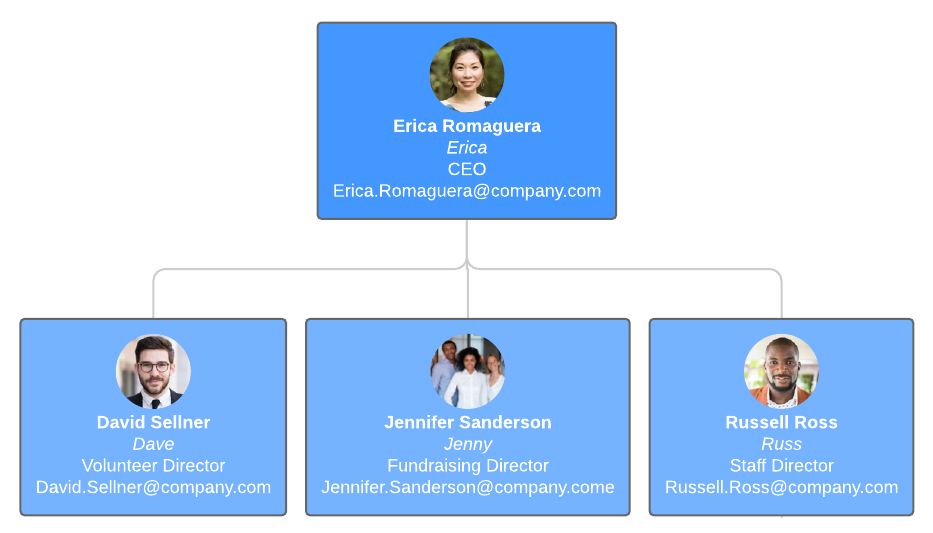
Do you still need to create your company org chart? Leverage your employee data and get started without having to begin from scratch with Lucidchart.
Import your employee data directly into Lucidchart to automatically generate an org chart. Now you can easily add the essential employee fields that you need.
How to make org charts your employees’ favorite resource
1. Include employees’ contact preferences
We all work with someone who only responds to Slack messages. Help everyone contact their co-workers faster by adding their communication preferences to your org chart.
If your team can take into account individuals’ preferred methods of communication, you'll eliminate unnecessary bottlenecks and waiting. It also helps get new hires up to speed faster on the organization’s internal communication practices.
If you’re creating an org chart in Lucidchart, go further and link employees’ email addresses and handles next to their preferences. Now employees know how best to reach others and can get started right from the org chart.

2. Add skills and subject matter experts
Do you ever need to know who oversees all external communication, or is the company’s Jira expert? Most of the time, you have to ask around to find the person you need. Incorporate employee skills and expertise into your org chart so team members can complete a quick search and get in touch with the right person.
HR can use this information to identify skills gaps in your organization so they know which teams and what positions to hire for next, making it easier to plan the future structure of the organization.
Visualize employee strengths and skill sets in your org chart, so you can easily assign team members to the project where their skills will make the biggest impact.
Get started by asking employees to provide their skills and expertise in a quick survey. Import the results to create org charts that you can quickly rearrange using conditional formatting and group views to optimize productivity.