Elements of a service blueprint
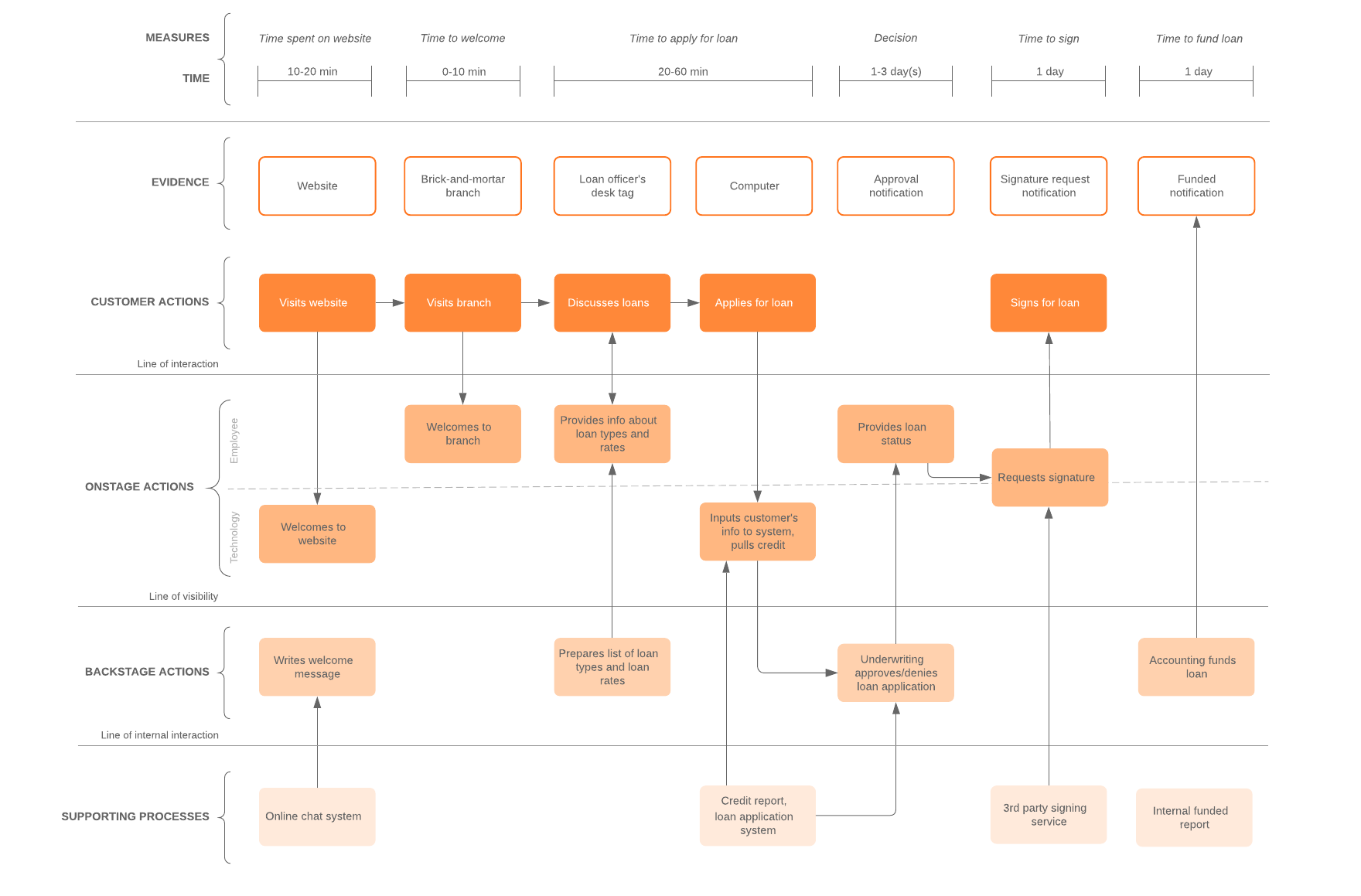
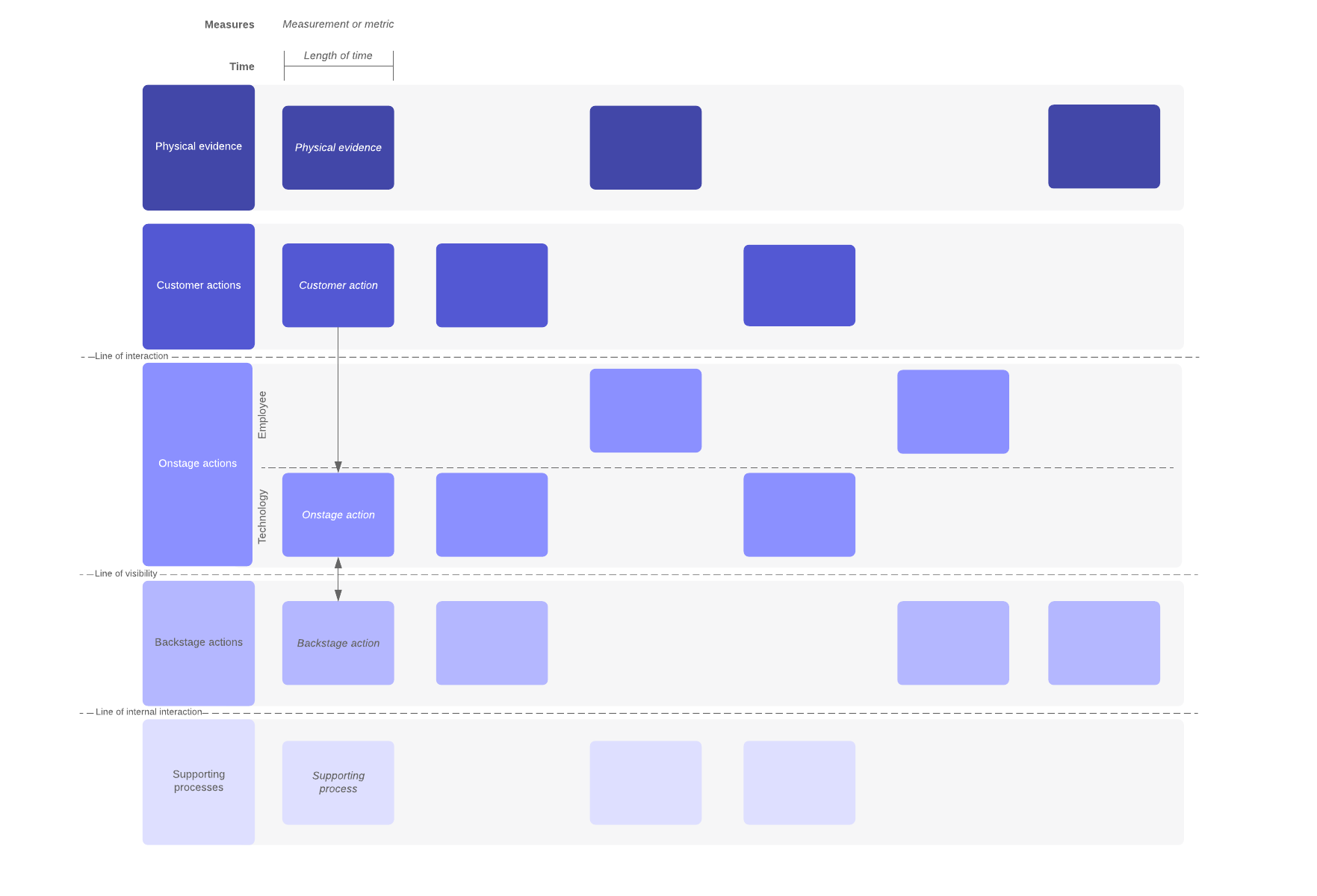
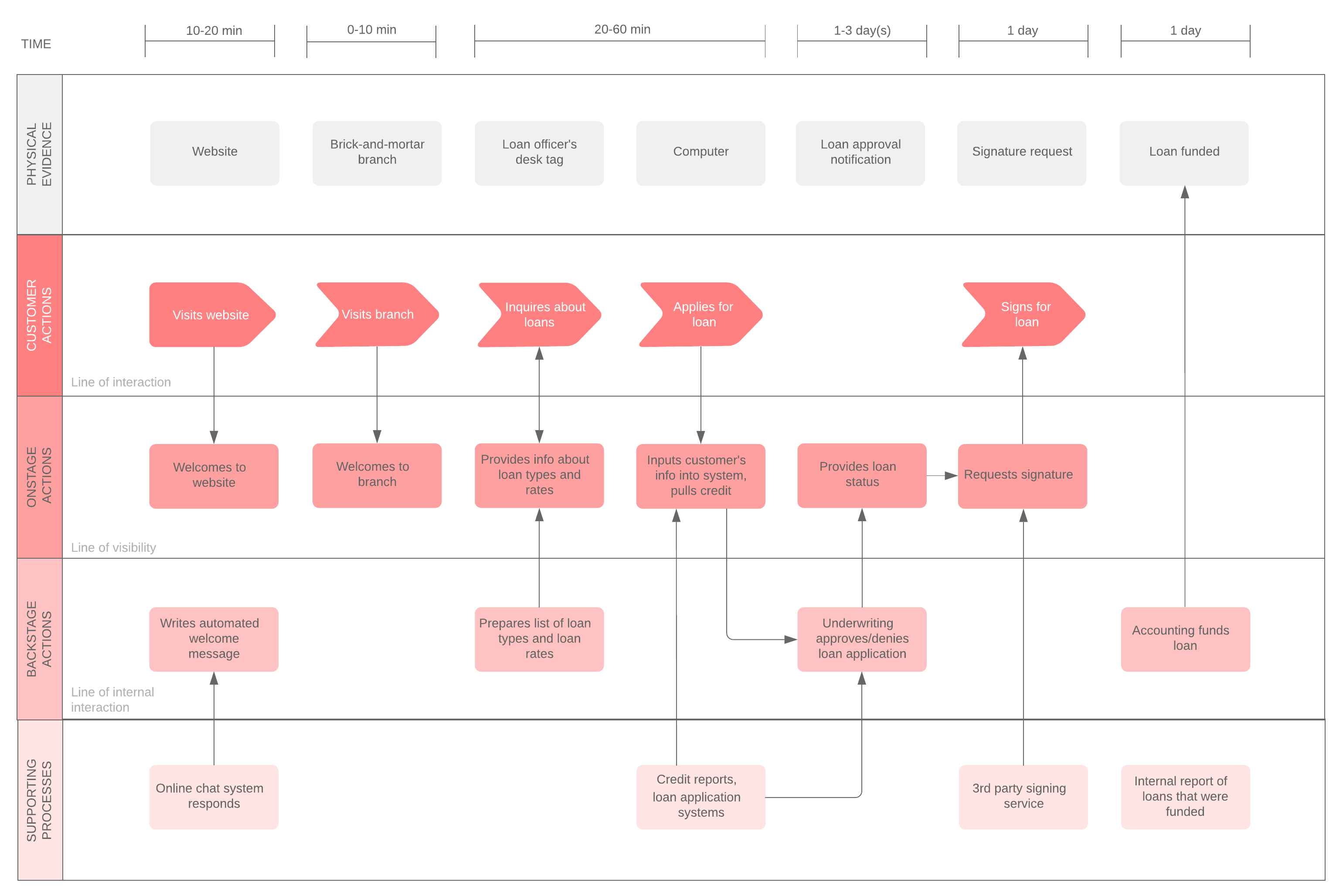
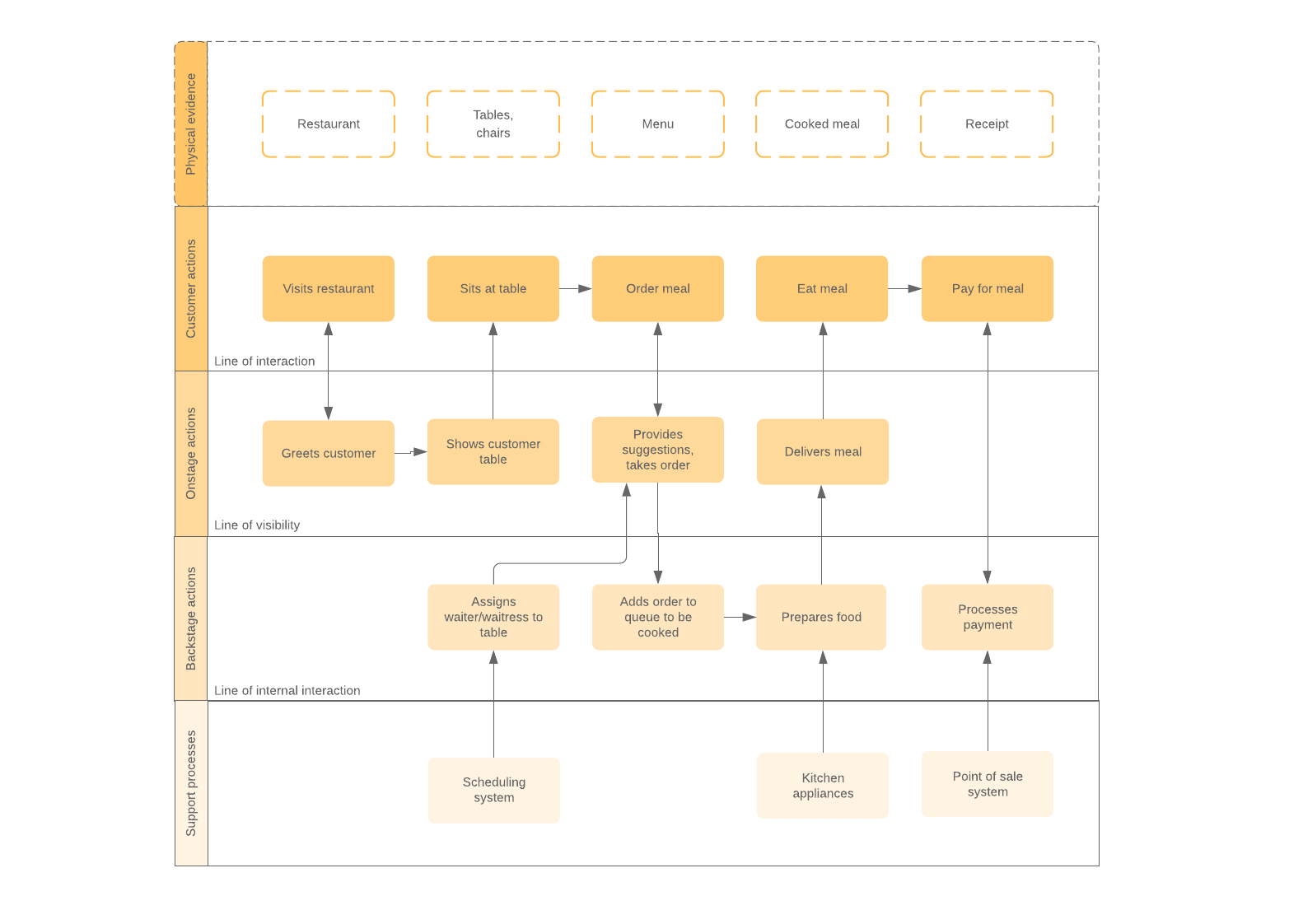
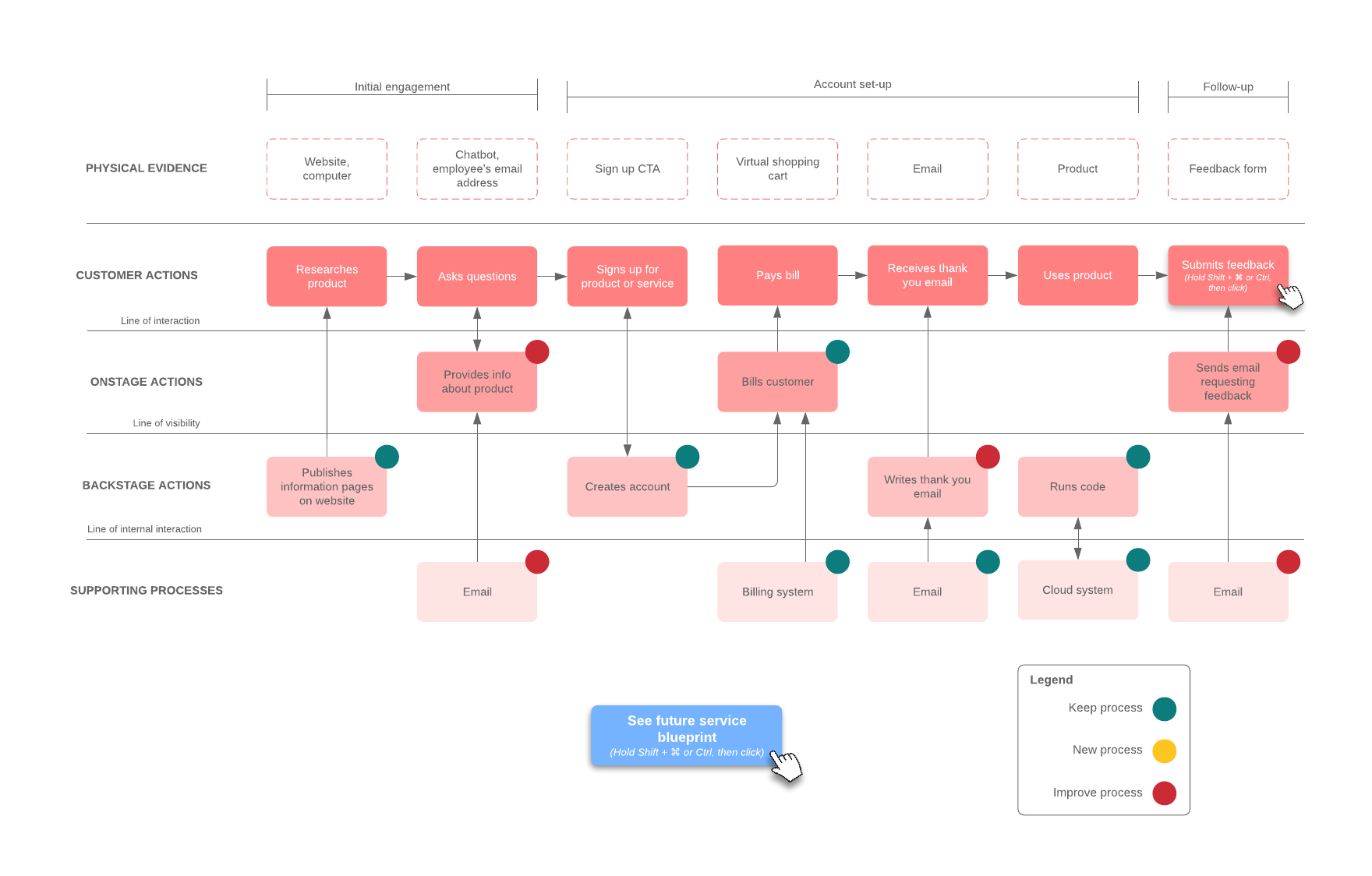
Service blueprints typically contain five categories that illustrate the main components of the service being mapped out.
1. Physical evidence
What customers (and employees) come in contact with. Though first in line, it’s usually the last element added.
Example: This category includes locations, like a physical store or the company website, but also any signage, receipts, notification or confirmation emails, etc.
2. Customer actions
What customers do during the service experience.
Example: Customers might visit the website, talk to an employee (in person or online), make a purchase, place an order, accept an order, or receive something.
3. Frontstage or visible employee actions
What customers see and who they interact with. For tech-heavy businesses, add in or replace this category with the technology that interacts with the customer.
Example: Employees might greet a customer visiting a physical location, respond to questions through chat, send emails, take an order, or provide status information.
4. Backstage or invisible contact employee actions
All other employee actions, preparations, or responsibilities customers don’t see but that make the service possible.
Example: Employees might write content for the website/email/etc., provide approval, complete a review process, make preparations, package an order, etc.
5. Support processes
Internal/additional activities that support the employees providing the service.
Example: Third-party vendors who deliver supplies, a carrier service, equipment or software used, delivery or payment systems, etc.
Lines
Service blueprints also include lines to separate each category, clarifying how components in a service process interact with each other. This allows employees and managers to better understand their role and, most importantly, possible sources of customer dissatisfaction within a service experience.
Optional categories
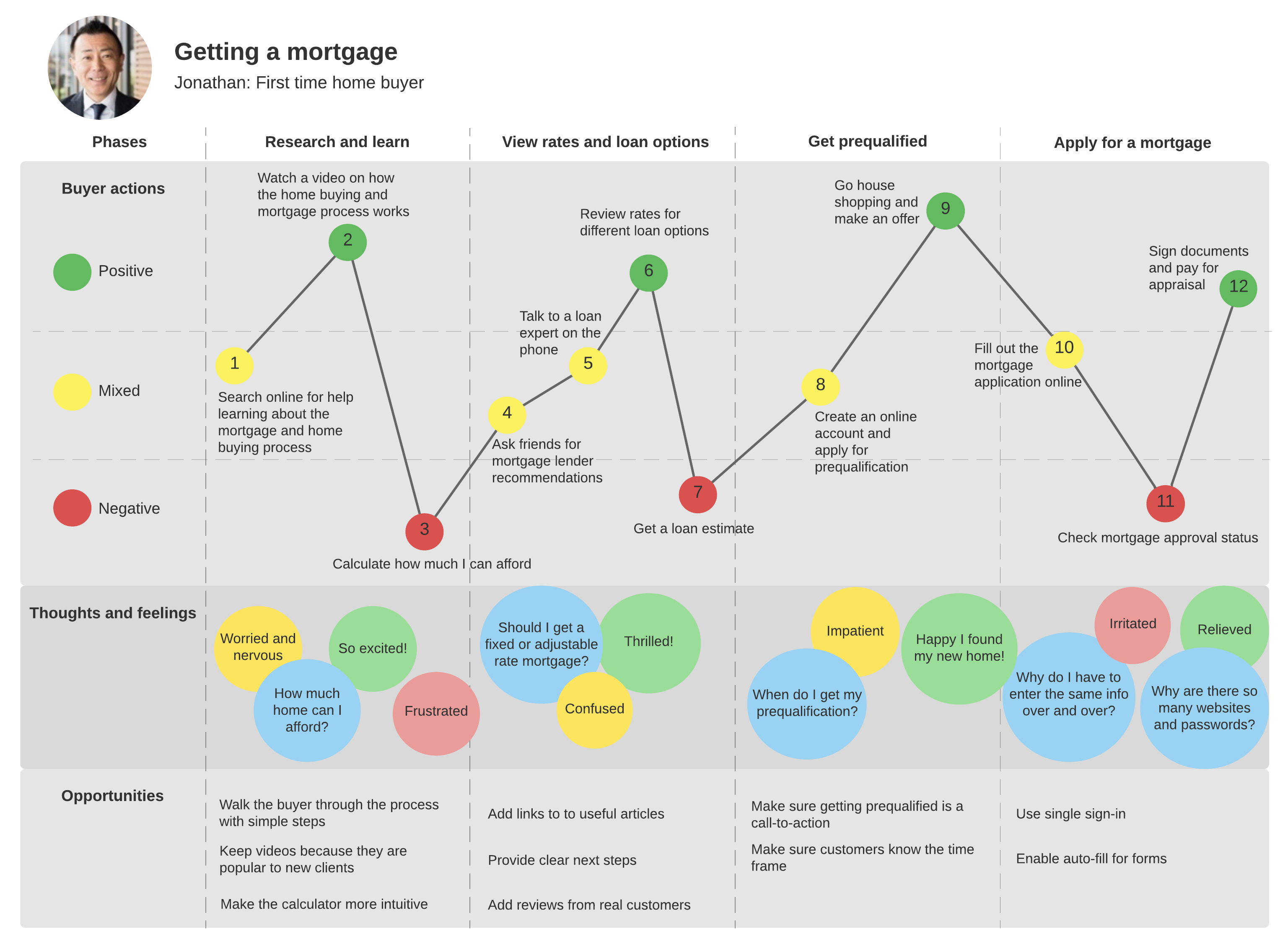
If you need more detail, you could also add a timeline to show how long each step takes, some kind of success metric to measure goals, or the customer’s emotions throughout the process.
Fundamentally, service blueprints center on the customer. They allow for a clear vision of the service design, which in turn helps organizations refine their processes and deliver pleasing, memorable customer experiences.
Benefits of using service blueprints
Because services aren’t tangible, it can be difficult to convince decision-makers and executives that changes need to be made. It can be even more difficult to talk about specific changes without first having a full picture of the process. Visualizing each step and each interaction in the process takes away that vagueness and highlights areas for improvement.
Service blueprints empower organizations to optimize their service processes. Additional benefits include:
- Scalability and flexibility: Service blueprints accommodate as much or as little detail as needed. They can show high-level overviews or intricate steps.
- Cross-functionality and knowledge transferability: Employees and managers in long-standing or complex processes can easily lose sight of the bigger picture or how each action affects other departments, fellow employees, or even the customer. Service blueprints clarify interactions and reduce siloes.
- Competition: Service blueprints allow you to compare what you want your service to look like with what it looks like now, or you can compare your company’s services with a competitor’s.
- Failure analysis: Once you can see who is (or should be) doing what, it’s much easier to diagnose what’s going wrong.
Service blueprints create a visible structure for implementing and achieving operational goals. Their cross-functionality likewise fosters better communication between customers, employees, and management, which increases the chances that companies will understand their customers and respond to their needs while keeping their service processes free from unnecessary complications and redundancies.
How to create a service blueprint
You can build a service blueprint diagram at any point in your service design.
1. Come up with a customer scenario
Whether you are creating a new process or mapping out an existing one, start with the customer service scenario you want to explore. It may be beneficial, at this point, to include real customers in the conversation to ensure that your scenario is as true to customers’ real (or desired) experiences as possible.
2. Map out the customer experience
Whatever scenario you decide on, plot out the actions the customer will take in chronological order.
3. Built out from the customer’s actions
Once you have the full customer service experience laid out, add the other categories––frontstage and backstage actions, support processes, physical evidence, time, etc. to the customer actions. What do employees do during each action the customer takes? What support processes come into play?
3. Clarify lanes of responsibility and action
Use the different lines of separation to keep each category in its own clearly marked lane and to illustrate the ways different actors interact during the service process:
- Line of interaction: Where the customer interacts with the service and employees.
- Line of visibility: Where the employee or organizational processes become invisible to the customer.
- Line of internal action: Where partners or employees who don’t have contact with the customer step in to support the service.
4. Clarify cross-functional relationships
After mapping out each category, add another level of detail to your service blueprint by including arrows. While you will already have laid out the steps in chronological order within each lane, you can also show the relationships and dependencies that run across different categories through arrows. If a shape has a single arrow, the exchange occurs in the direction indicated. A double arrow shows that some agreement must be reached or that the two shapes depend on each other in some way.
Together, these elements will help you see and find solutions to service processes and customer experience issues.
Service blueprint templates and examples
Whether you're ready and just need a few shapes to make your own service blueprint or you want to look at some more examples, we've got a variety of options for you. See the templates below and discover how service blueprints can help you across different industries and accommodate different levels of detail.