P.S. If you don't know some of the terms used in this document, make sure to check out our "Lucidchart Explains the Internet" videos!
How to conduct a dialogue mapping session
To conduct a dialogue mapping meeting, you will need:
- A diverse team of stakeholders
- A designated facilitator
- A common diagramming language (IBIS)
- A shared “dialogue” map display (either a physical whiteboard or a digital document)
First, gather together your team of problem-solvers, which usually includes a diverse group of individuals, often from different teams or departments (e.g., development, marketing, management, etc.).
By gathering a group of diverse contributors, you can ensure the dialogue (and resulting knowledge) is comprehensive and reflective of the varied perspectives within your organization.
The facilitator (or mapper) guides the group discussion and is responsible for interpreting each individual's ideas and translating them clearly to the shared diagram. The facilitator must be an active listener and good communicator.
During the mapping process, the facilitator listens to each team member’s thoughts, writes the ideas on the diagram and then validates the information, confirming that the ideas were correctly understood and clearly expressed.
Applying IBIS notation to your dialogue map
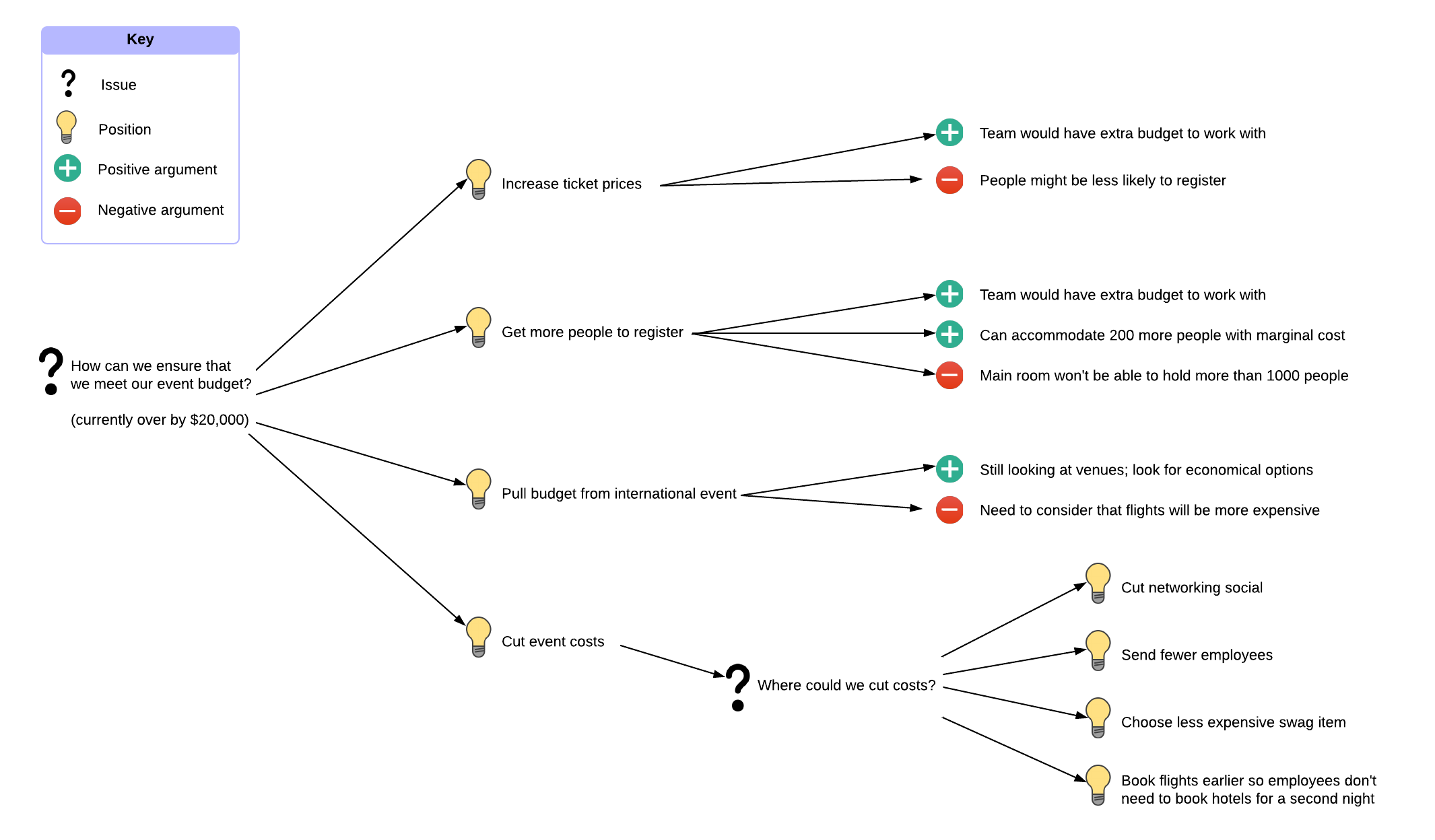
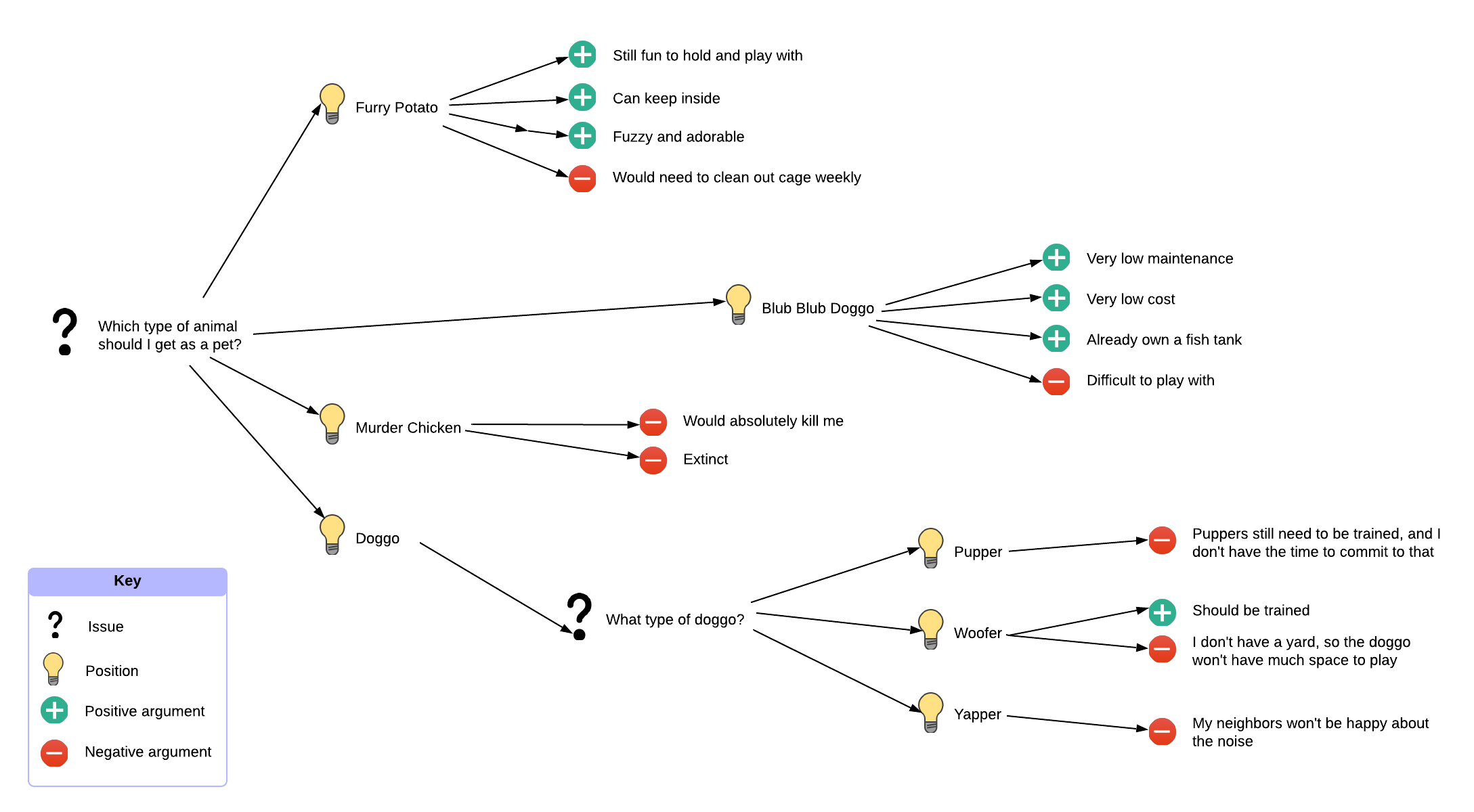
Dialogue mapping uses the diagram language IBIS (Issue-Based Information System) to notate ideas.
IBIS notation has three elements: issues, ideas, and arguments.
Here’s how they work.
Issues
Issues are the problems or questions being discussed. On the diagram, these are typically framed as questions (e.g., “What should we do about X”).
Issues can be independent or connected to another issue, position, or argument. This allows the team to question and consider every element, giving the group a more comprehensive picture of the main problem.
Ideas
Ideas (or positions) are the responses and proposed solutions to the issue(s). Within IBIS notation, ideas can only respond to issues. This is typically notated with an arrow directed from the idea node to the issue node.
Arguments
Arguments are either for or against an idea (i.e., pros or cons). Arguments are key to mapping out a full analysis with perspectives from different backgrounds. On the map, arguments are only connected to ideas, describing the group’s multiple viewpoints on each idea.
Using Lucidchart to document your dialogue map
Dialogue mapping relies on good diagramming tools and displays to be effective. Not only must the diagram be easy to document, but it must also be easy to share among a diverse group of contributors. The ability to share your dialogue map is particularly important if teams are collaborating remotely (sometimes across time zones or continents).
Lucidchart helps teams and organizations stay on the same page throughout the entire dialogue mapping process. It’s a cloud-based diagramming platform that makes it easy for multiple contributors to collaborate and share ideas in real time—no matter where they’re working from.
Plus, Lucidchart comes equipped with a vast shape library and ready-to-use templates so you can customize your diagrams and start mapping your dialogues right away.
Whether you’re a product manager, CEO, or developer, sharing knowledge and visualizing problems (and their solutions) has never been easier.
Try Lucidchart for free today