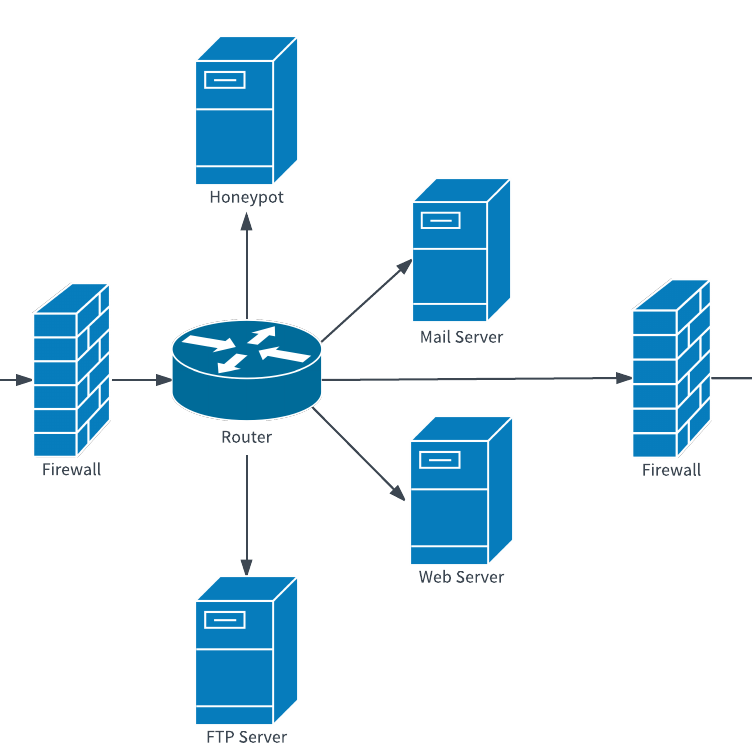
We rely so heavily on technology today that any network problem can halt productivity and cost your company if the issue isn’t dealt with quickly. Prevent losses and eliminate frustration with a comprehensive network diagram of your space. You’ll be able to pinpoint the issue with one glance at Lucidchart and take off to resolve it.
Network diagrams display the components of a computer or telecommunications network, including routers, firewalls, and devices, and show how those components interact. They vary greatly depending on the type of network, but you will likely want two diagrams, a logical network diagram and a physical network diagram.
Benefits of a logical network diagram
First, illustrate how information flows through your network with a logical network diagram. These diagrams could describe:
- Wide area networks (WAN)
- Local area networks (LAN)
- Virtual private networks
- DSL network connectivity
- AWS network architecture
You can make this network diagram as detailed as you want—it could include just a broad overview or consolidate all of your information, such as IP addresses, in one spot.
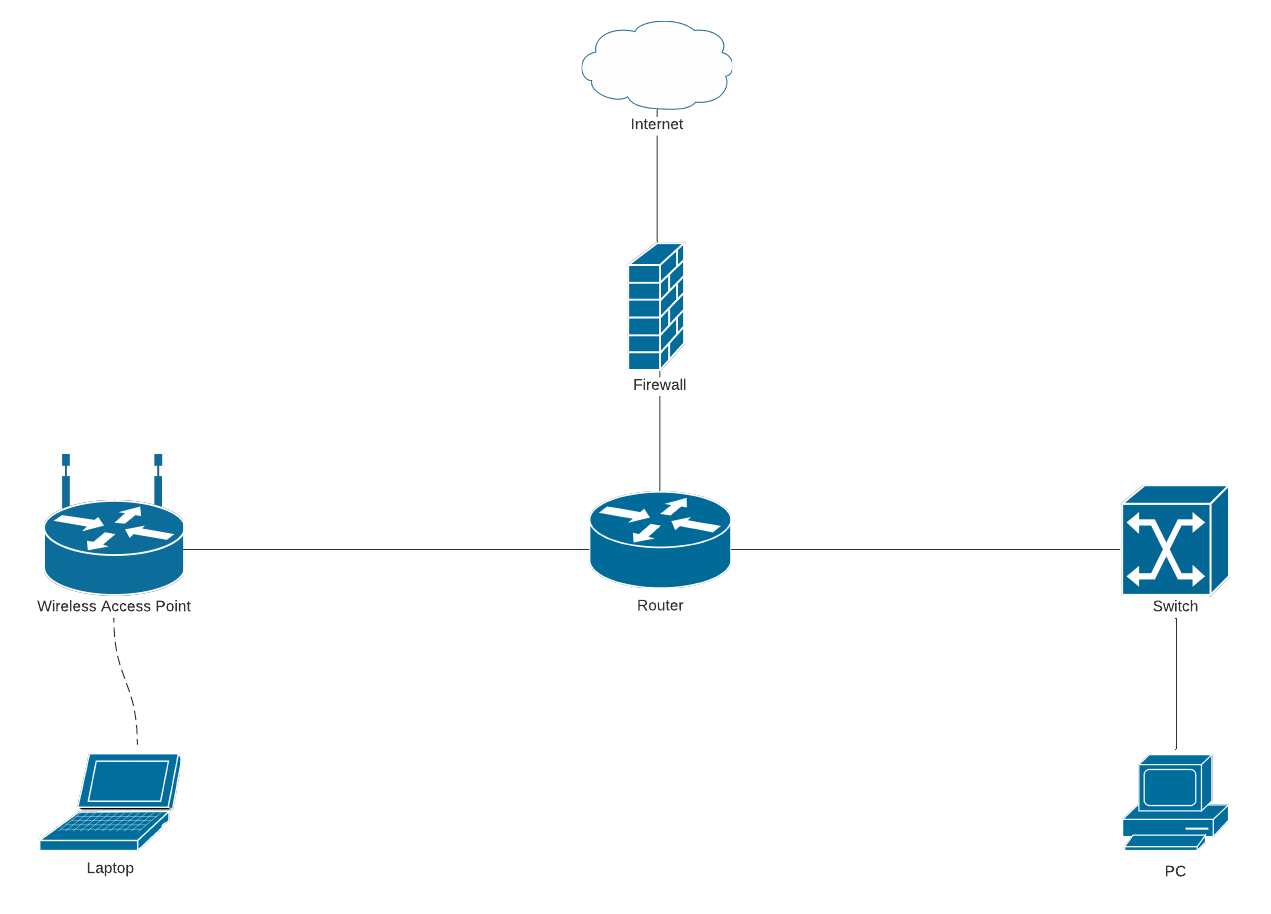 Basic network diagram template (Click on image to modify online)
Benefits of a physical network diagram
When you experience network issues with your office or data center, we’re not always talking about a breakdown somewhere in the recesses of the Internet. We’re often talking about physical objects that are no longer functioning as they should. Network engineers need a visual presentation of this space to understand where the source of the problem may lie.
Within Lucidchart, you can create a physical network diagram to solve this type of issue. An effective network diagram could display:
- Wi-Fi access points and their corresponding channels/frequencies
- Wi-Fi coverage mapping to avoid cross-talk between domains
- The location of phones, computers, printers, and other devices
- A layout of the server rack
- Labeled ports to show where computers and other devices connect to the server
The more information you provide within the diagram, the better prepared you will be to solve network issues during network troubleshooting.
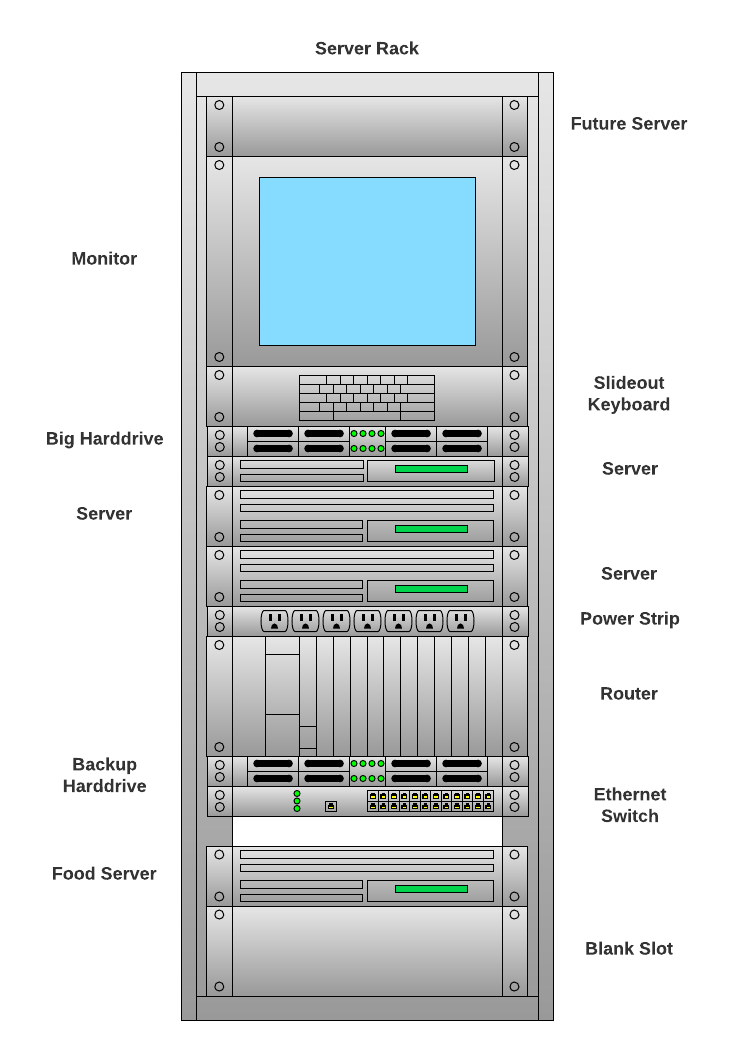 Server Rack Diagram template (Click on image to modify online)
Other benefits of network diagrams
Aside from offering a simple visual for pinpointing possible issues, network diagrams provide many other benefits for your company. Using network diagrams can help with:
Planning network updates
Anytime you need to make a change, refer back to your network diagram. For example, do you need to add more devices to your network? Figure out where you have port space available, how this device will connect to the Internet, etc.
Keeping track of PCI compliance
If you collect credit card information from customers, make sure you have the proper firewalls and access control measures in place and have followed the requirements for physical security. Learn more about how you can make network diagrams that help you prove and maintain compliance by meeting criteria outlined in PCI compliance standards.
Creating network documentation
Creating network diagrams are an essential piece of documentation that every department should have. Hosting your network documentation in a central location like Lucidchart ensures teams have access the current state of your network as they address network problems during network troubleshooting, as your department responds to audits, during security reviews, and more.
Onboarding
Everyone should be on the same page as far as how the network functions and how all the elements connect. Bring new IT engineers up to speed quickly with thorough documentation in Lucidchart, and in the apps you already frequently use, such as Confluence, Jira, Microsoft, Google, Slack, and more.
Provide remote assistance for other offices
You may not always have IT teams located in every office. When a branch of your business experiences network problems, IT teams can leverage your up-to-date network diagrams to provide remote assistance, quickly resolving the network issue from afar. You can even use a floor plan to map out where all your physical equipment is located so it can be easily found it in the case of an issue, ultimately helping incident response teams understand how the office is set up, without needing to be there, all while following compliance regulations.