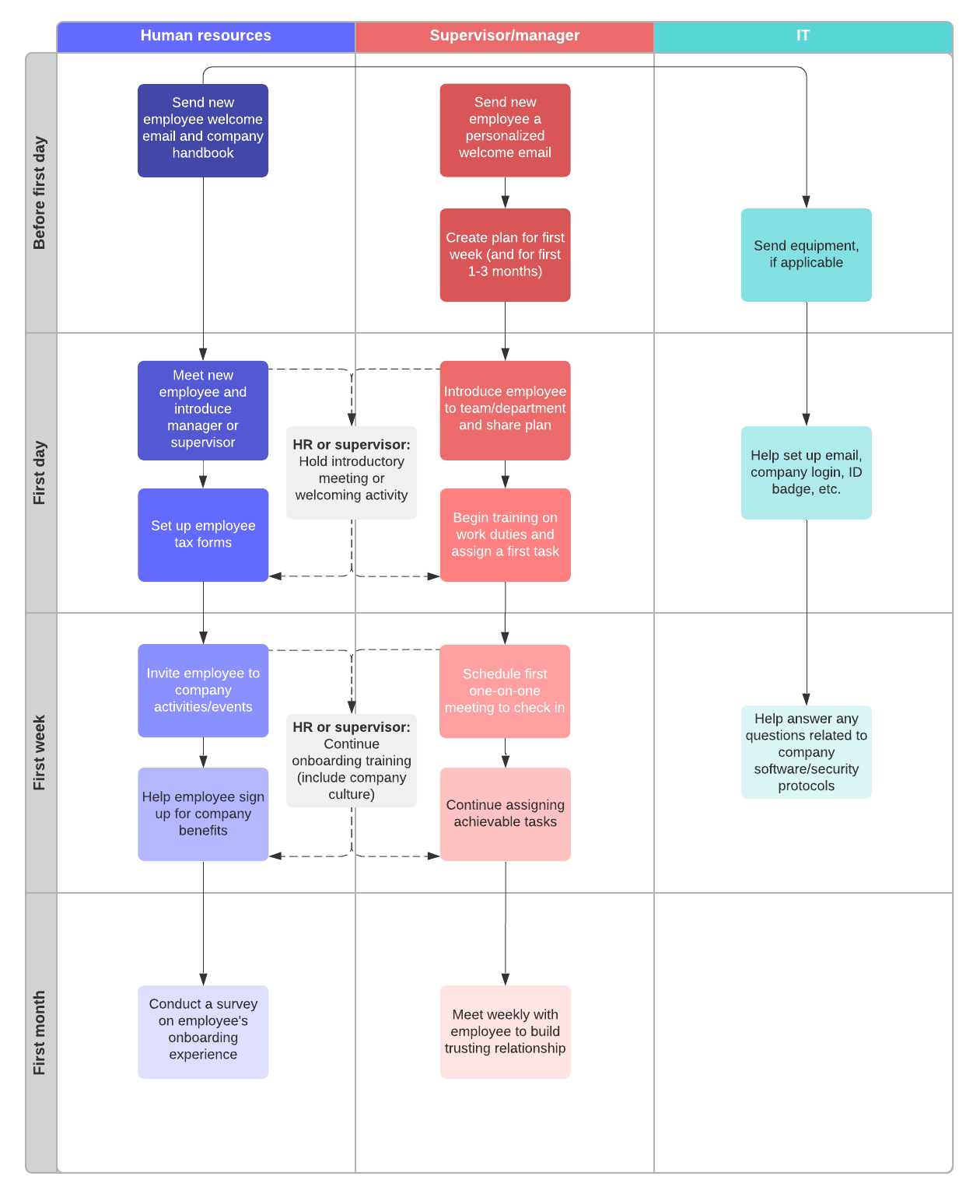
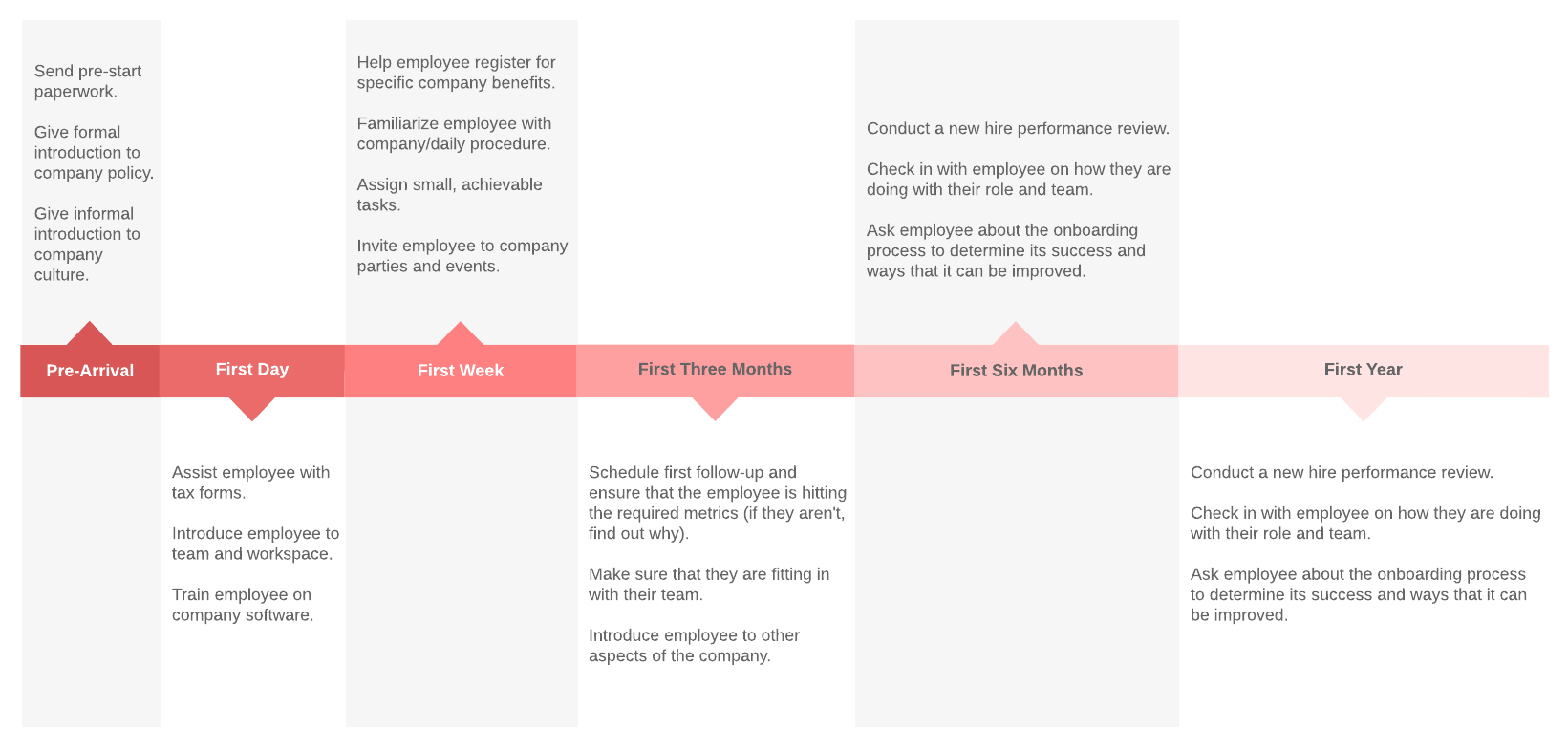
Within your process flowchart, use swimlanes to clearly indicate which tasks hiring managers, HR, IT, and new employees are responsible for. Note important handoffs between managers, HR, and your new hire to ensure that individual team members are aware of what needs to happen before tasks can be completed.
If you already have your onboarding process documented, make sure to update information as you move from an in-person to remote process, using Layers or special formatting to highlight any changes.
Share your updated onboarding timeline with hiring managers with the option to subscribe to document change notifications so they can stay updated automatically as changes are made. Use @mention notifications and comments to ask questions about specific tasks or collect feedback on your onboarding process.
Create a single source of truth for employees
Think back to the first day of your current position—you were likely given so much information at once that you couldn’t possibly have remembered it all. With Lucidchart, you can create self-serve documentation that new employees can turn to as they are learning their roles.
Provide your new employee with all of the information they need using easy-to-interpret visuals, such as:
- Org charts that show how the company is organized and where the new hire fits in
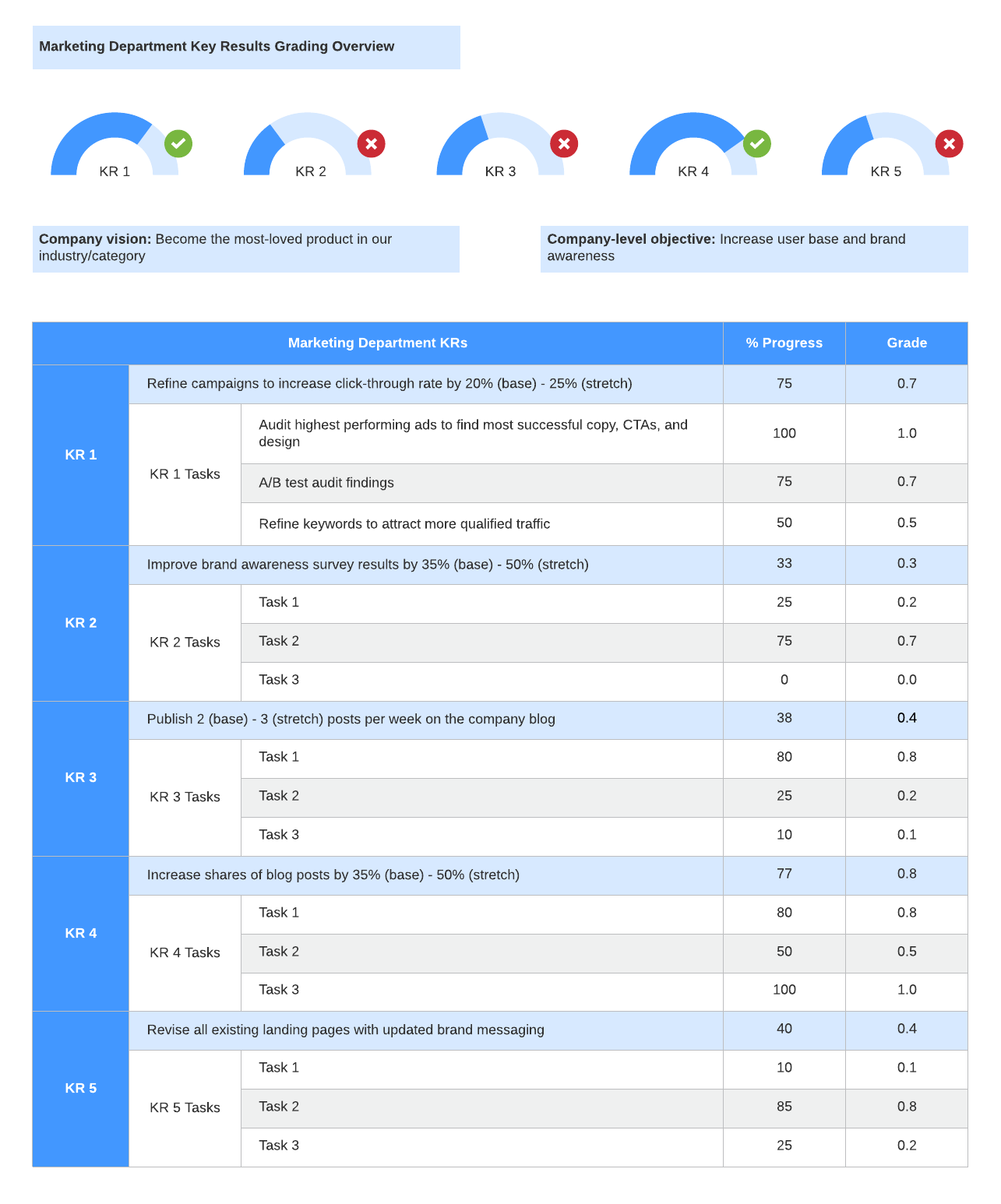
- Strategy maps and dashboards that visualize objectives, KPIs, targets, and long-term plans for your team
- Process flowcharts with clearly labeled areas of ownership and dependencies
- Network diagrams, data flow diagrams, and other technical documentation that gives IT and engineering hires an overview of how systems connect
As you create these materials, consider how you can make them useful for new hires. For example, to make your org chart a great resource for employees, you can include each employee's location, tenure, skills/expertise, etc. so that new hires know where to turn when they have more questions.
Share your existing documentation with new hires and rest easy knowing that your entire team is viewing the most up-to-date version of your documents. With Lucidchart integrations, you can even place these visuals in familiar applications alongside your other training materials.
Track progress through onboarding materials
Your new hire requires constructive guidance as they begin to navigate your organization, particularly in a remote position. Without in-person supervision, careful documentation is a must.
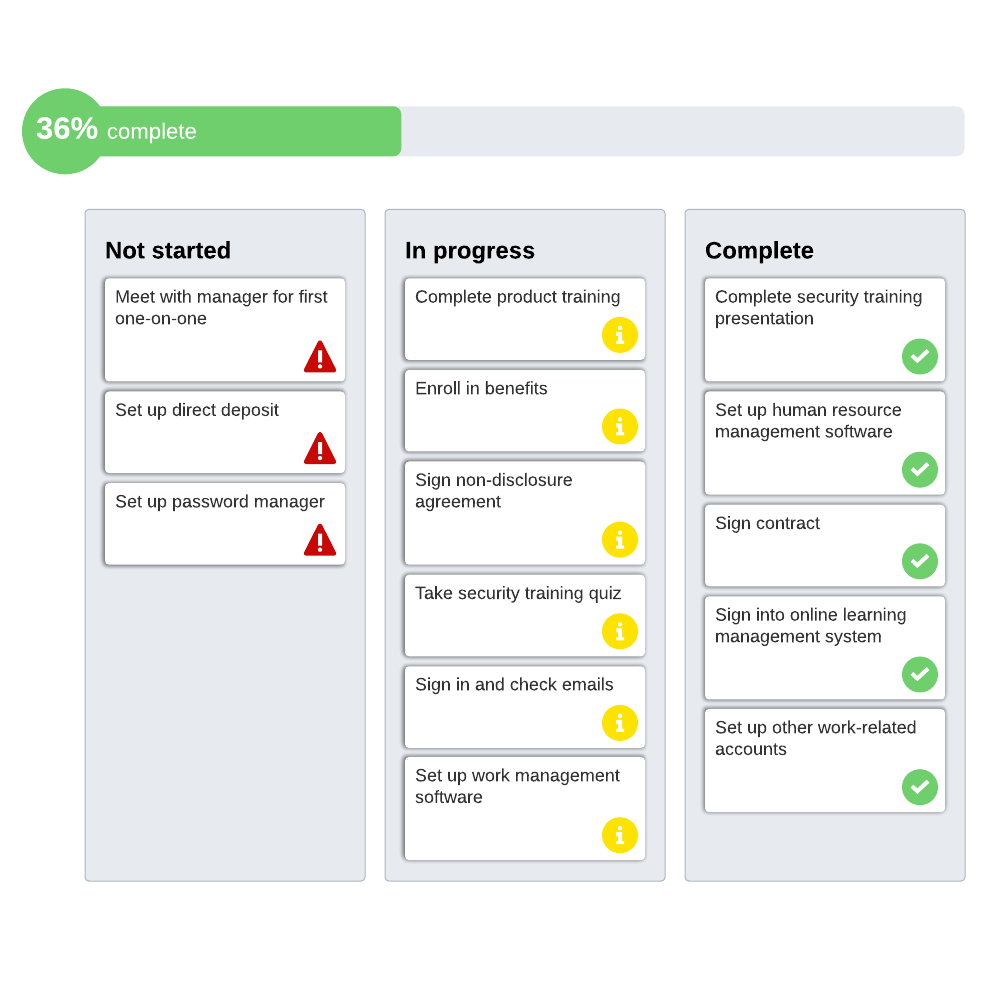
Lucidchart makes it easy for new hires to track their progress as they move through various onboarding tasks—and for team managers to keep tabs on their progress as well. Use Smart Containers, Dynamic Shapes, and formulas to create intuitive onboarding materials filled with meaningful tasks and directions that make it easy to manage the onboarding progress from both ends.
Take this example from our customer success team at Lucid:
Jacob Scoville, an associate manager on the customer success team, set up Smart Containers organized by category and filled with tasks that his new hires need to complete. Once the new hire has completed the task, they can move it over to the “Complete” column, and the status bar at the top will show what percentage of the training they’ve finished.
This document has a second tab that shows the specifications of each task, and many of these tasks are linked to courses in Bridge (the learning management system we use at Lucid), Google Docs so the new hire can actively take notes, and other resources.
The new employee’s mentor and manager have access to this document as well, so they can check the employee’s progress during daily syncs. And between syncs, new hires can use comments and @mention notifications to ask questions and stay connected.
Jacob says, “Several new employees have reported a greater level of understanding in their onboarding. They have told me that it gives them very clear outcomes, and they are able to fill their time with meaningful tasks without it being overwhelming.”