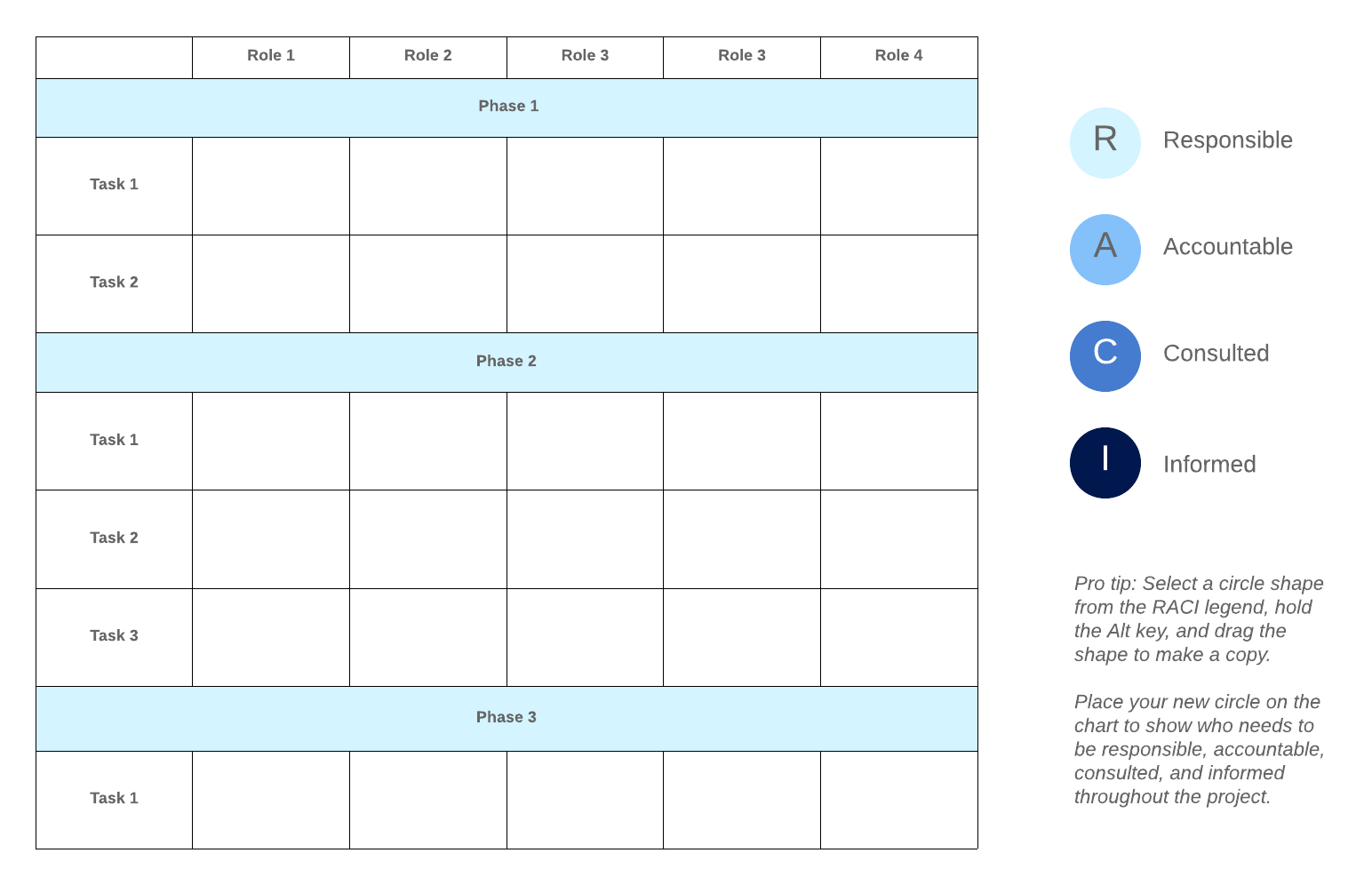
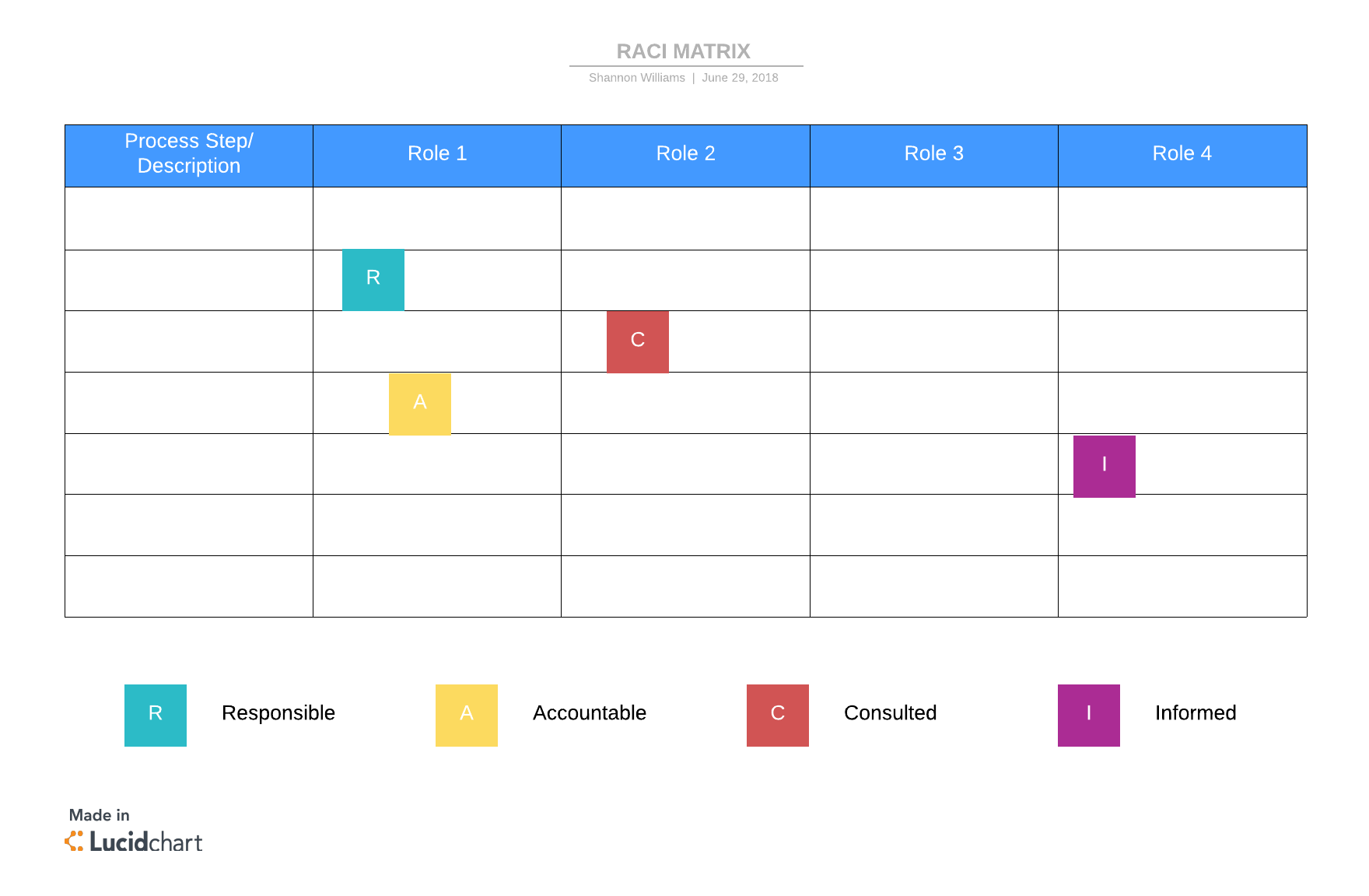
How to create a RACI matrix for your project
The beauty of a RACI matrix is that is simple to create. Follow these four steps to strategically allocate project roles and assignments.
Step 1: List project tasks
Meet with key stakeholders to identify every task, milestone, or decision within the project. The list should include both deliverables (such as products) as well as activities like meetings.
List these project items in order of completion on the left-hand side of the matrix (the y-axis).
Step 2: Outline project roles
Identify all the project roles—typically job titles—along the top row (the x-axis) of the matrix. For example, the x-axis might include roles such as project manager, business analyst, developer(s), technical architect, and CTO.
You may discover additional tasks to add to the y-axis as you uncover all the relevant stakeholders in the project. Add those to the matrix as needed.
Step 3: Assign RACI responsibilities
Next, go through each cell of the matrix and fill in the appropriate RACI role (responsible, accountable, consulted, informed).
Work your way down the task list until the whole model is filled out. Keep in mind that tasks may have more than one responsible stakeholder, but there should only be one accountable person per task.
Step 4: Finalize and approve
Once your RACI matrix is filled in, share the chart with all the project stakeholders and solicit feedback. Iron out any conflicts or issues with the assignments and then get final approval on the model.
Be sure to approve the model before the project begins so that everyone is on the same page.
Considerations
For the RACI matrix to be most effective, there are a few things to consider.
First, make sure each task has both a responsible and accountable role assigned to it. Watch out for tasks that have multiple “responsible” stakeholders though. Too many responsible parties can slow down the process. Assign only as many people as necessary to avoid inefficiencies from “too many cooks in the kitchen.”
Second, keep in mind that occasionally there are roles that don’t fit the mold. For instance, while each task will need a responsible and accountable party, it may not be necessary to inform or consult on the work. And that’s okay! Especially in large projects with many moving parts, reducing clutter can improve efficiency and clarity.
In this case, an alternative model, called RACIO may work well. RACIO includes an “Omitted” or “Out of the Loop” designation for those roles that don’t align perfectly in the RACI model.
So, if a task doesn’t require every stakeholder to take an active role, you can add an “O” to the stakeholders who can ignore that task. This designation frees them up to focus on the most relevant work to their role. By strategically assigning roles within the RACI matrix, you can optimize the model for greater project efficiency.
Create a RACI matrix in Lucidchart
Lucidchart is a cloud-based diagramming platform that helps busy project managers create valuable charts and process flows, including RACI matrices.
The real value in a RACI matrix comes through clear communication. But if your project stakeholders don’t have easy access to the RACI assignments, they’ll have a difficult time staying on task.
Lucidchart unlocks that power by making it easy for managers to share their RACI diagrams with their team members at the click of a button. Because Lucidchart operates on the cloud, your resources are always available no matter where (or when) you want them.
Ideally, your project will go exactly to plan. But unfortunately, that’s not always realistic. When changes need to be made, a flexible RACI chart is a must. Lucidchart gives you the flexibility you need to adjust roles and assignments without starting over. And when changes are made, users can instantly see the updates so they don’t miss a beat.
Use Lucidchart to create clear RACI models with ease and never fall behind on a project again.
Sign up for free